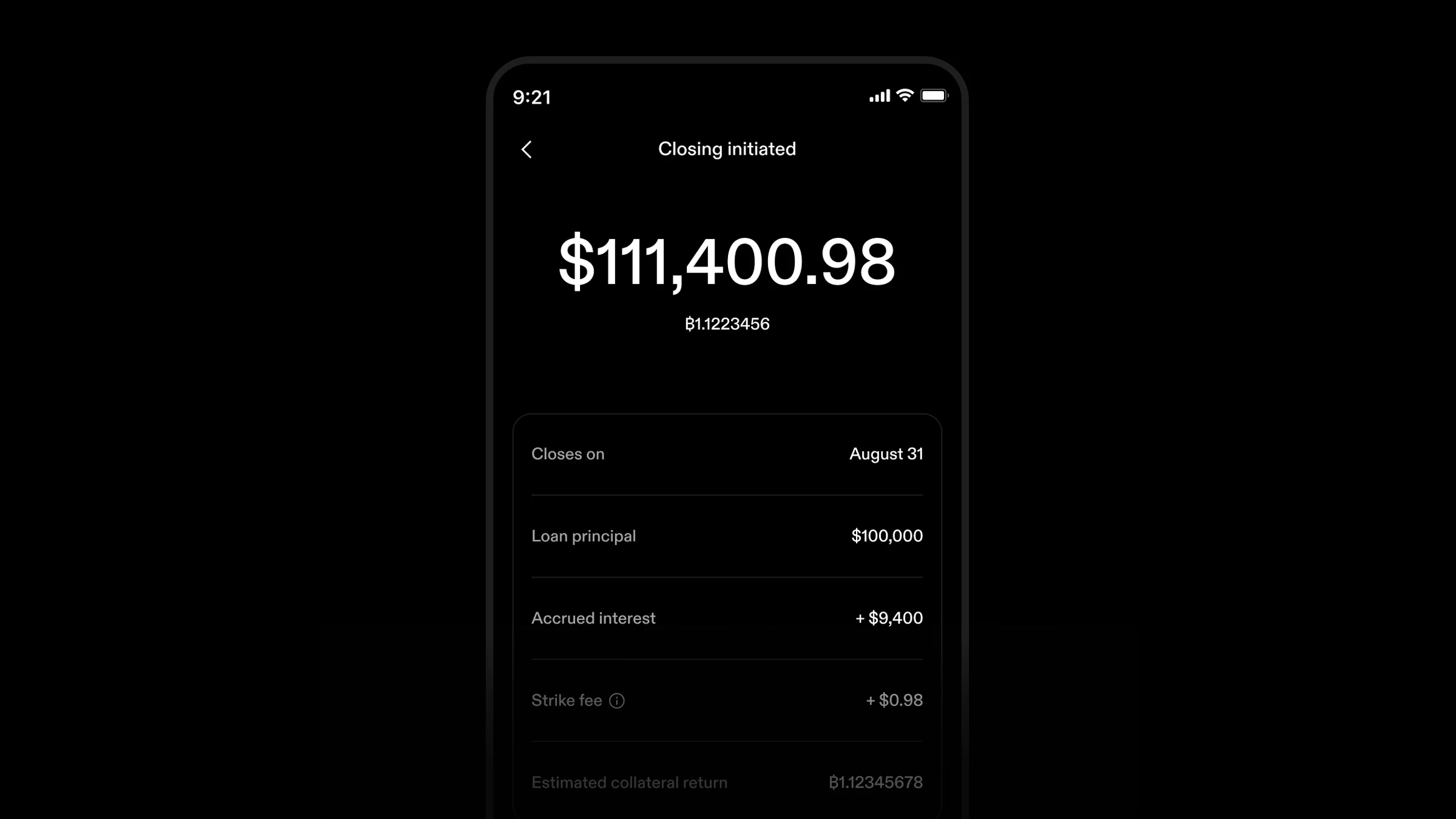
You can now choose “Cash balance” to pay off a term loan in the Strike app or on the web whenever your settled and pending cash together cover the payoff amount. Strike takes the full amount right away and closes the loan when the last pending deposit clears. You see that date before you confirm, and no interest accrues while you wait.
You can also cancel a pending closure started with your cash balance, a wire, or a linked bank to reopen the loan right away. Nothing in flight is stopped, so a wire that never applied still lands in your cash balance.
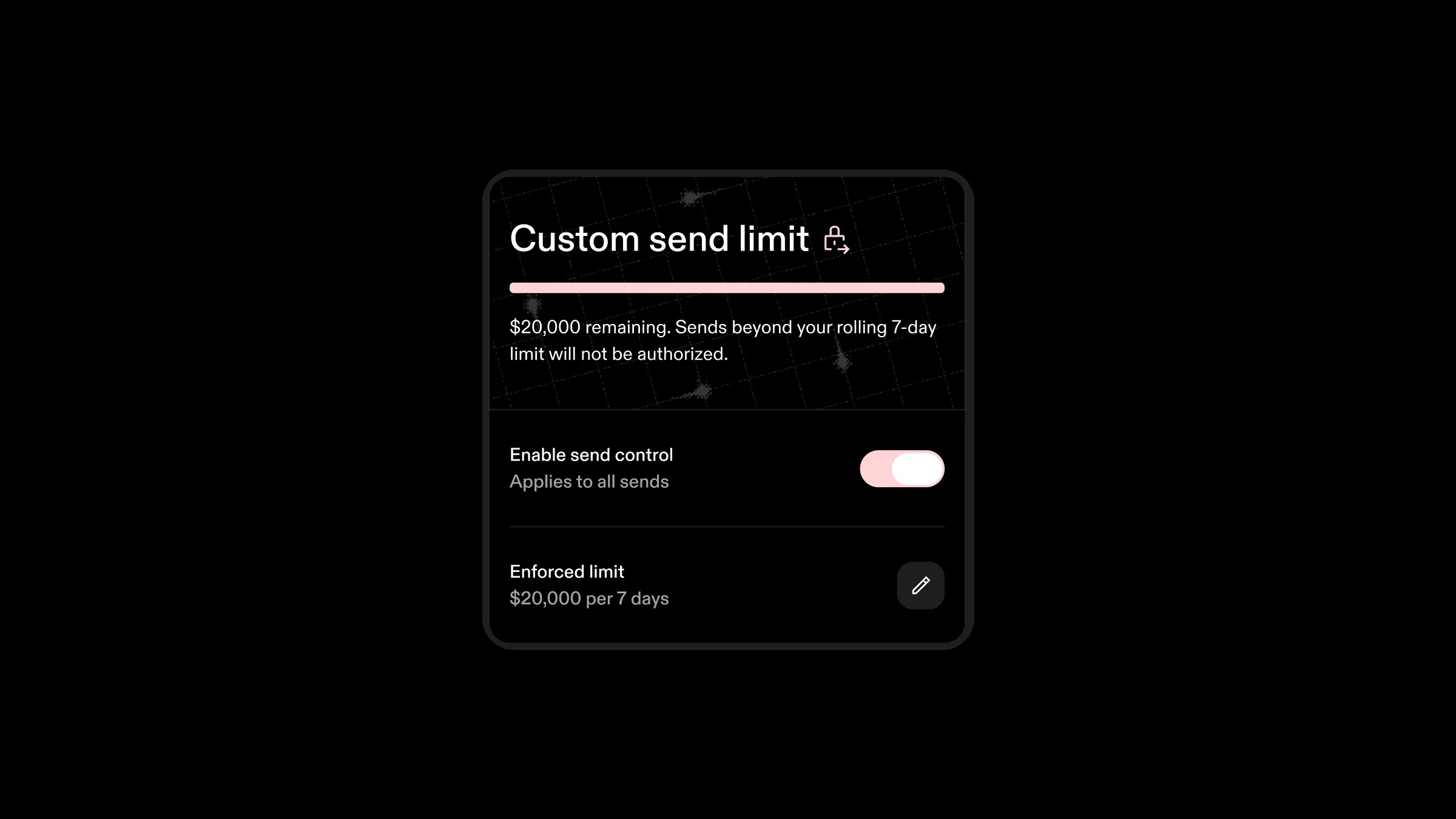
You can now cap the amount that can be sent from your balance. It's an optional limit, in dollars, to put you in control of how much bitcoin and cash can leave your account over any rolling 7-day period.
If an unauthorized person takes over your account, the most they can send is what’s left of your limit. If you set the limit to zero, nothing gets out. You can lower your limit once every 5 days.
The limit covers every send to a bitcoin address, Lightning invoice, or Strike username. Cash withdrawals don’t count, and neither do bitcoin auto-withdrawals or bill payments.
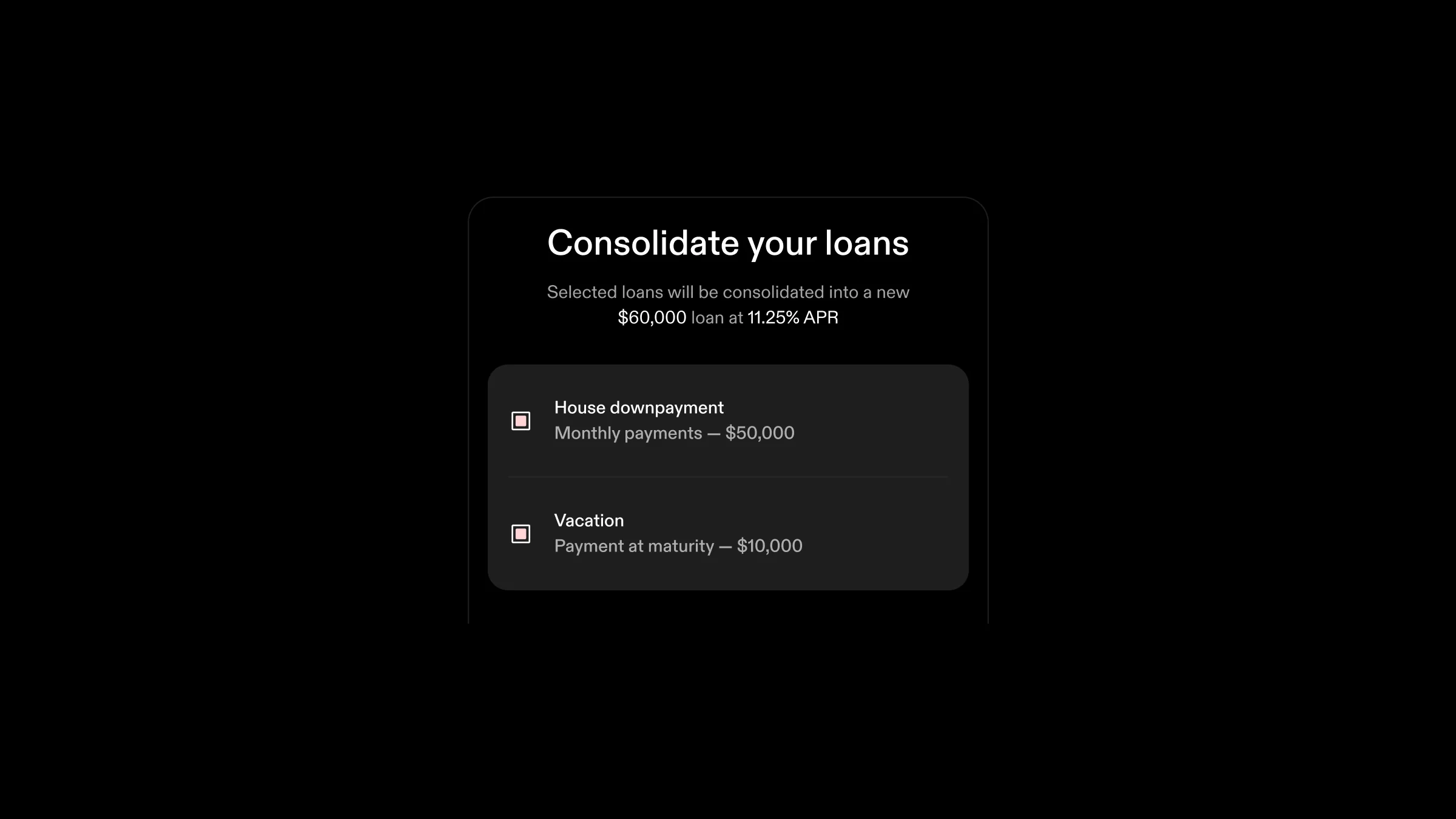
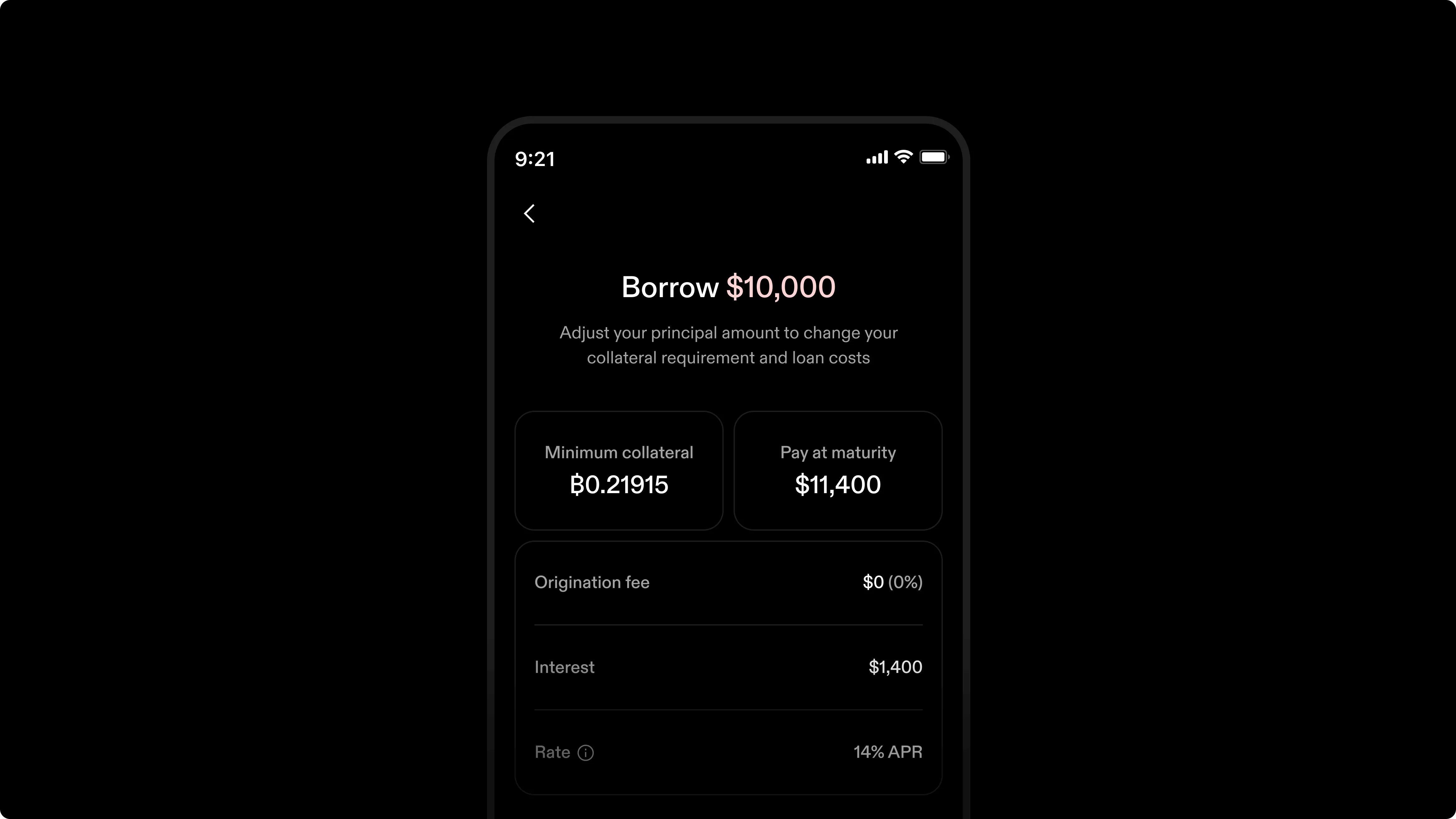
Strike term loans come in two interest plans: pay interest monthly with principal due at maturity, or pay principal plus interest together at maturity. You can now refinance a loan into a new one with a different payment schedule, as well as consolidate monthly-payment and payment-at-maturity loans together into a single loan of either kind. This brings more flexibility so you can tailor your borrowing strategy to your financial needs.
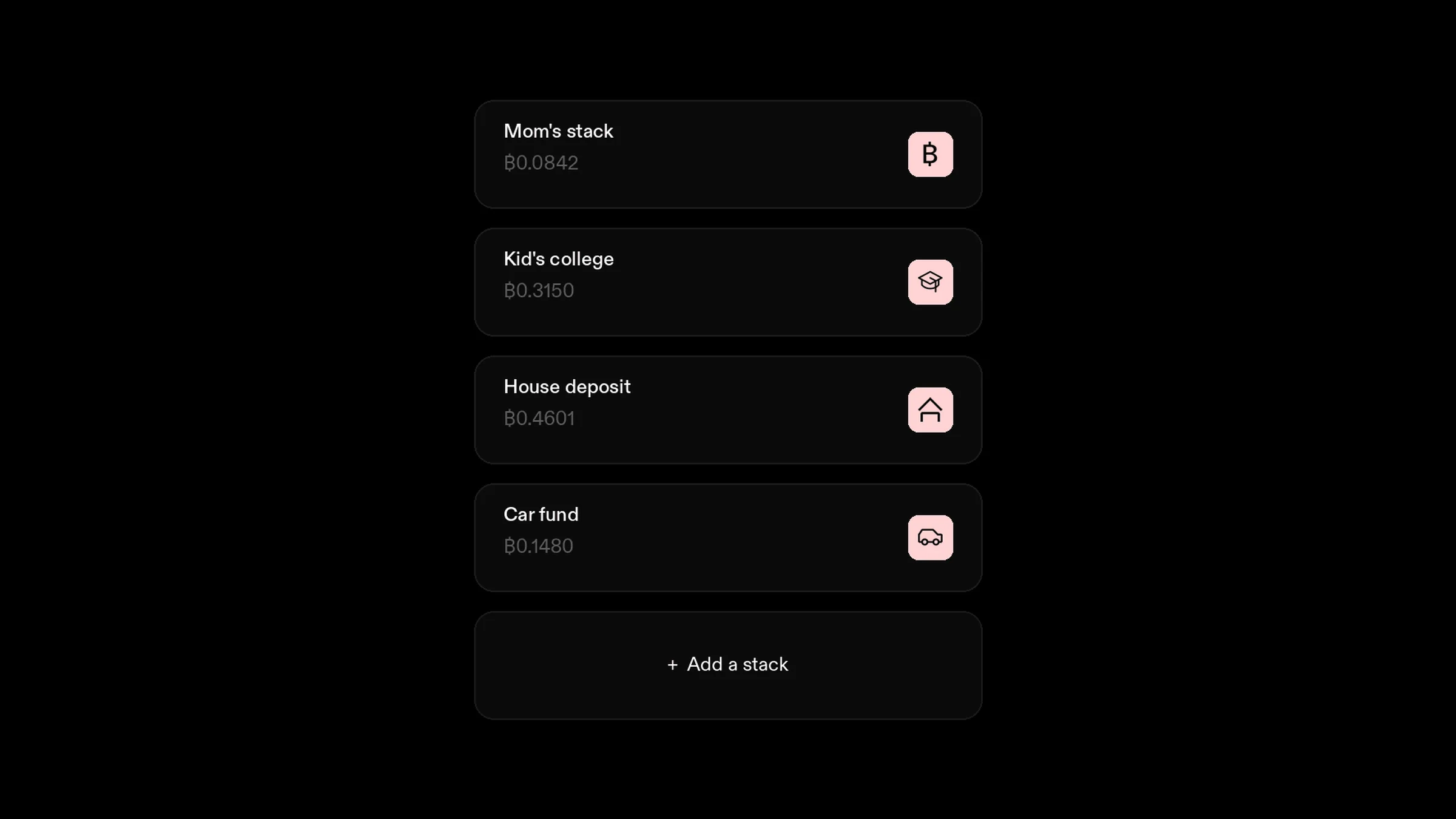
You might already buy bitcoin with different goals in mind. You may even keep a spreadsheet of how much has gone towards each. Now, you can use stacks to keep that tally inside Strike. Each stack is a bitcoin sinking fund, set apart for a named purpose.
Schedule separate recurring purchases for each savings jar to earmark bitcoin bought for a vacation, a business goal, or a family member.
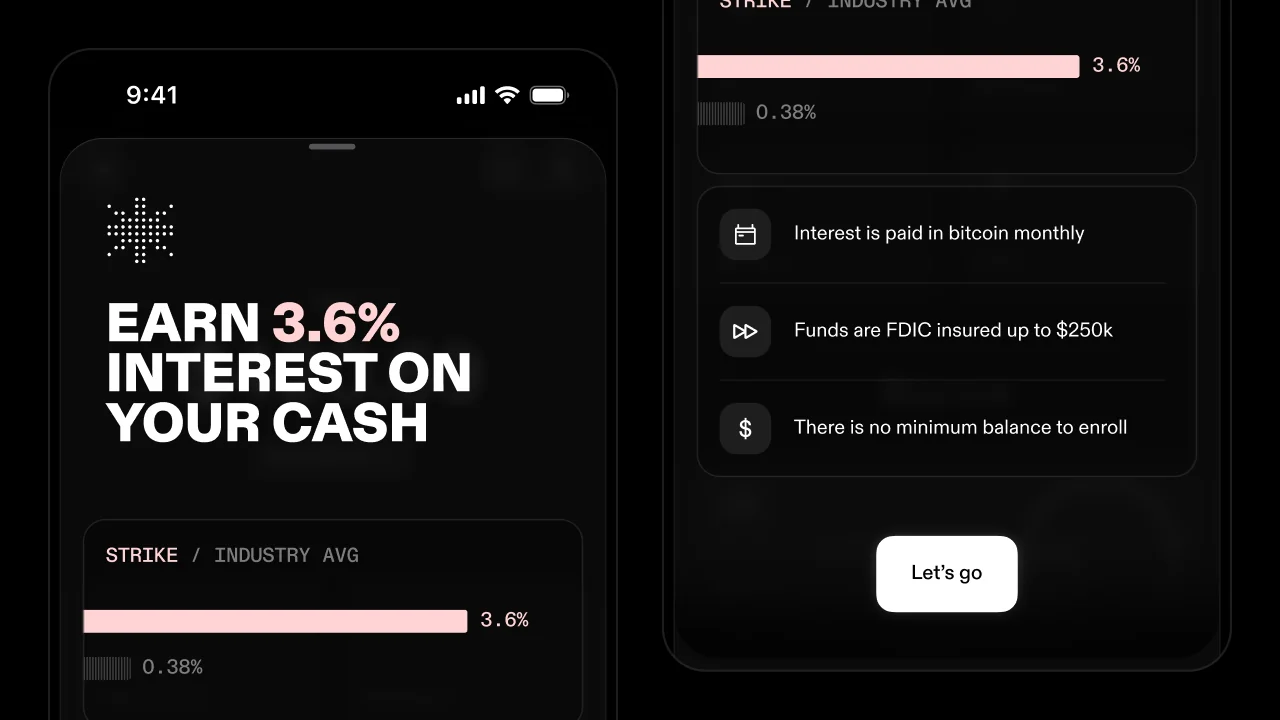
To help you preserve your wealth in today’s economic environment, we’re introducing a better way to earn interest on cash: with bitcoin. Interest paid in dollars only nets you more of the asset losing value. Earn bitcoin instead, and what you earn can appreciate as the price fluctuates.
Even if you hold a high conviction in bitcoin, you may still keep a cash cushion, whether for an emergency fund, paying bills, or buying bitcoin. Park dollars at Strike instead, where they are FDIC-insured up to $250,000, and you stack sats along the way. Opt in to receive interest on cash in the app, and sit back while you earn.
Strike converts your interest into bitcoin every day, like a daily DCA. Interest payouts land in your bitcoin balance on the 1st of each month. There are no monthly fees, and trading fees don’t apply to interest paid in bitcoin.
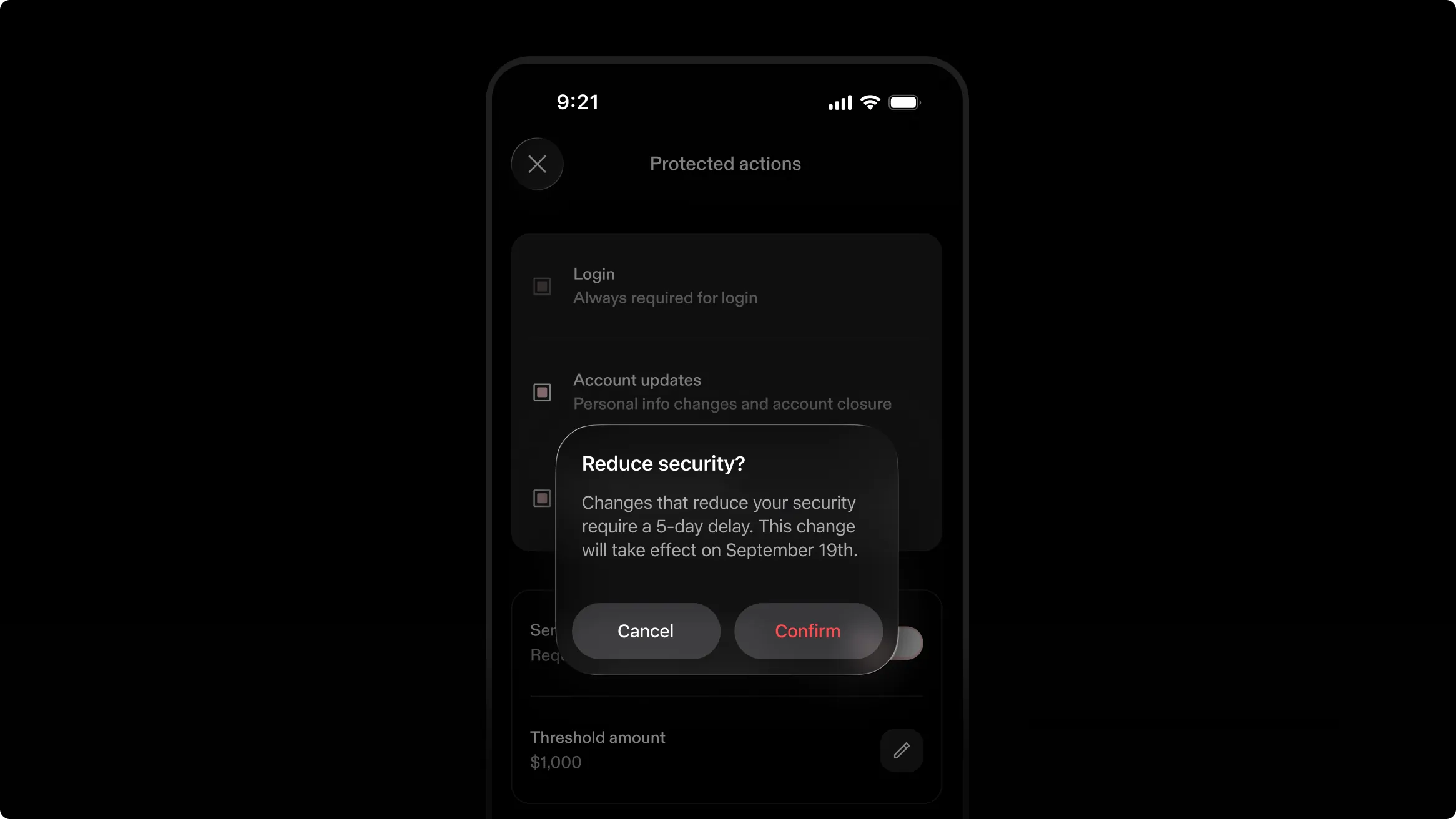
There’s now a five-day delay before a reduction in your security settings takes effect, including when you turn off 2FA, remove one or all protected actions, or raise the threshold for sends and withdrawals. If anyone gains access to your account, they won’t be able to remove the protections you’ve set up immediately. You will be notified during this period, allowing you to cancel the changes remotely throughout the wait. Additions to your security settings still take effect right away.
Manage it in Security Settings in the mobile or web app. Strike sends a push notification at once, an email about 10 minutes later, and reminders on day 2 and day 4, each with a cancel button. On by default, with no way to skip or shorten the wait.
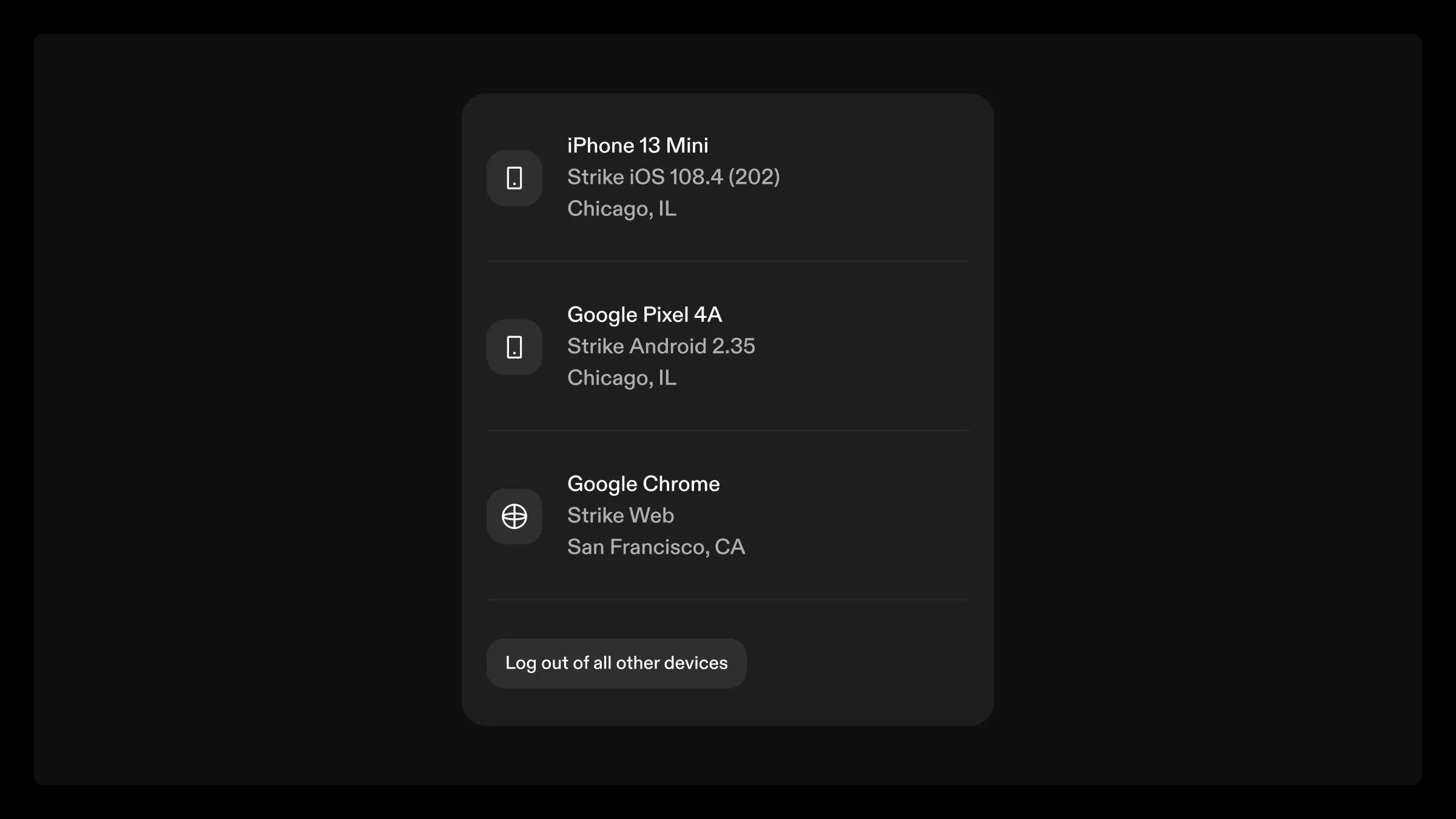
In the web app, go to Settings > Security to see every device your account is logged in on, and log out of the ones you no longer use. If you left your account signed in somewhere or lost access to a device, end that session from a browser without reaching for your phone.
Strike’s verified logo with a blue checkmark appears next to the sender name in Gmail, Apple Mail, Yahoo, and other inboxes, backed by a Verified Mark Certificate tied to Strike’s registered trademark. You can recognize a genuine Strike email before you open it. Together with the anti-phishing code, it provides two checks on any email claiming to be from Strike.
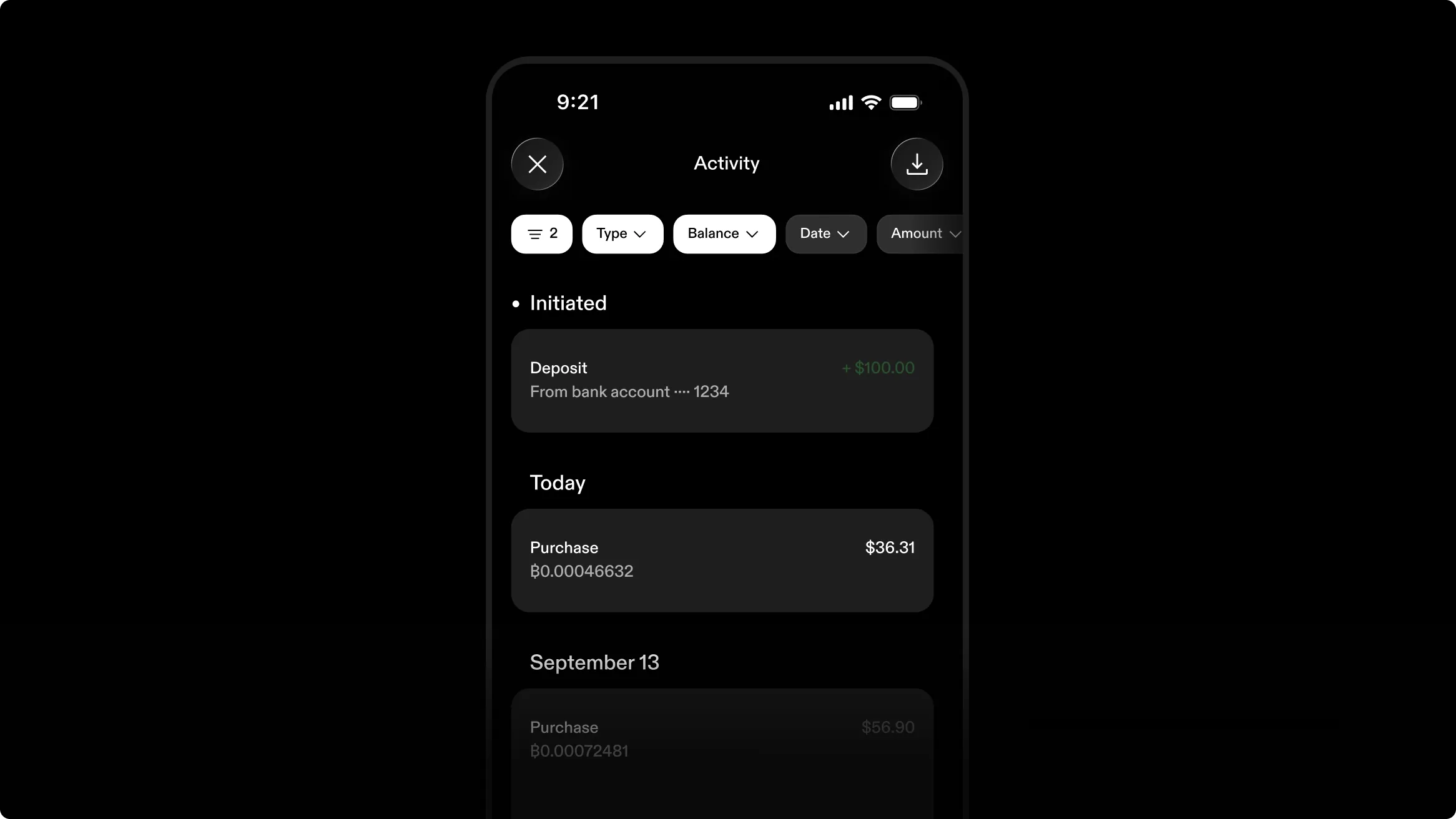
Finding past transactions became easier. You can now filter activities by date, type, status, and more. Search for a recipient, note, bitcoin address, or bank name. Export your full history, or just filtered results, as a CSV sent to your email. Available now on the latest version of the mobile app, and soon on the web app. If you don’t see it on your phone yet, check back 24 hours after opening the app. Filter by transaction type, balance, date, availability, status, amount, and frequency, and search by note, memo, recipient, bitcoin address, loan name, or bank name.
Your refinanced or consolidated standard loans can now start with an LTV of up to 60%. Previously, refinancing required a 50% initial LTV, the same requirement as when opening a new standard loan. Also, while you still must pay outstanding interest, it no longer counts toward the LTV calculation. Together, these improvements let you refinance or consolidate in more scenarios without topping up collateral or making partial repayments.
Note that volatility-proof loans still require a maximum initial LTV of 40%, whether you’re opening a new loan or refinancing or consolidating into one. Start it from your loan in the mobile or web app. Standard loans only.
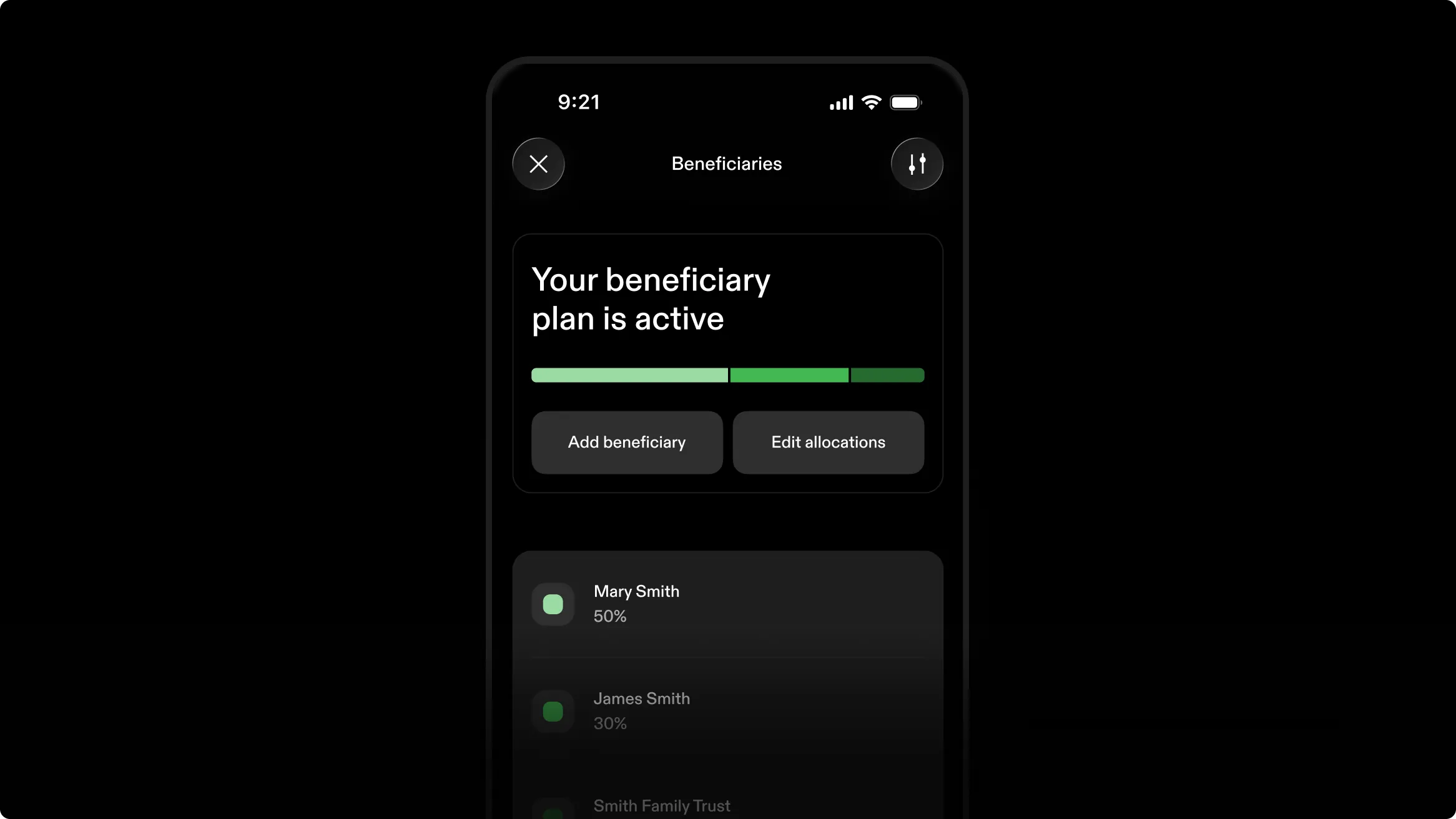
You can now name who receives assets in your Strike account should anything happen to you, so the wealth you’ve accumulated becomes a legacy you pass on for generations. Name up to 15 beneficiaries (spouse or non-spouse, or a trust), give each a percentage, then sign the agreement to activate the plan. Edit or void an active plan whenever your circumstances change.
Name a spouse, another person, or a trust, with a split that adds to 100%, a 1% minimum each, or an even split. Save and resume, review, sign, and download a Transfer on Death Beneficiary Agreement to share with an estate planner, executor, or the beneficiaries. Available in the app for US individuals and sole proprietors, except Louisiana, with version history kept and re-signing after material changes.
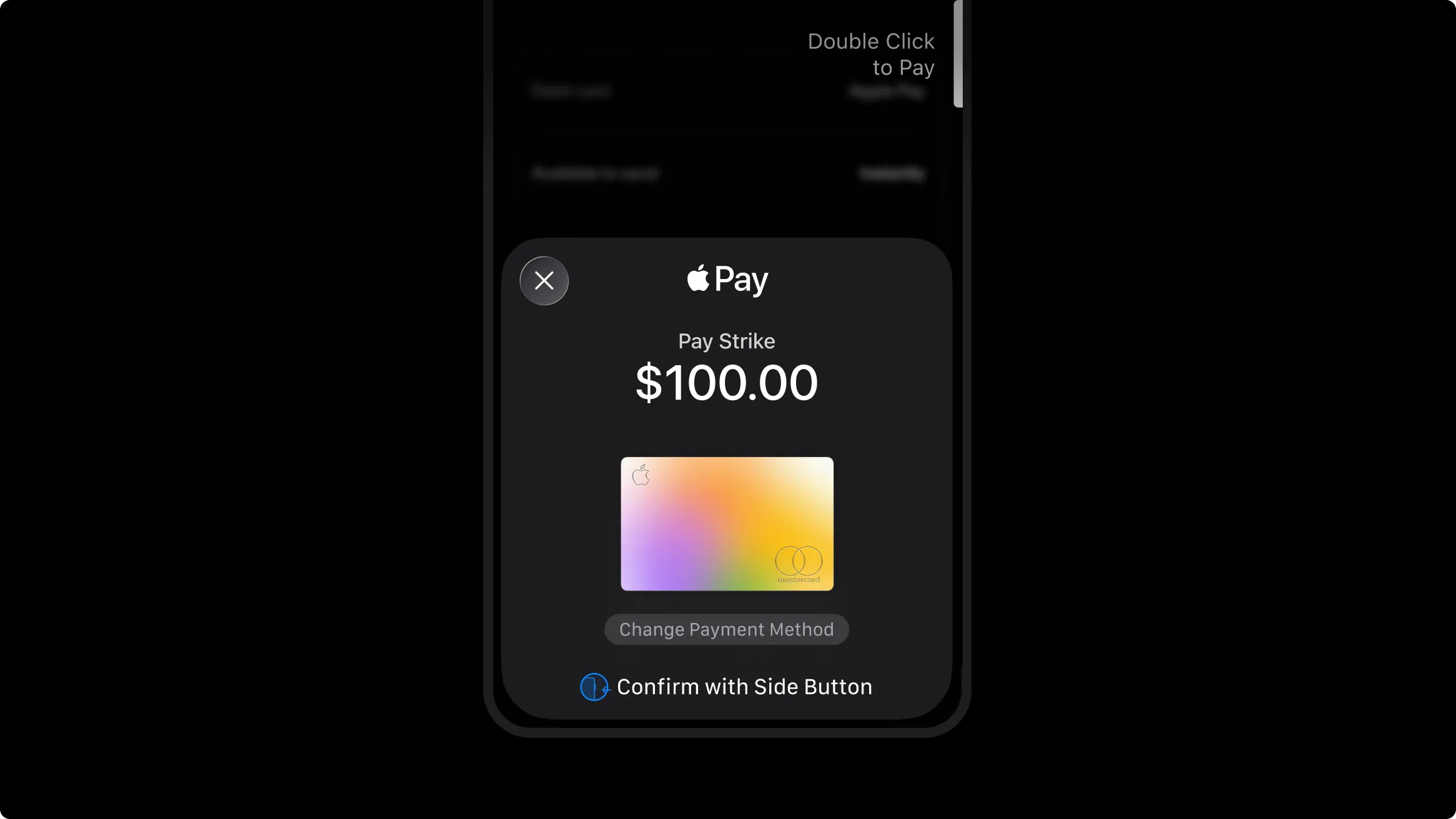
The debit card already sitting in your digital wallet now works in Strike. No need to link it first. It’s the fastest way to deposit or buy bitcoin. The card works in the app for fully verified US individuals for one-time deposits and buys only, at the same fee as a linked debit card and with the same weekly limit. You can send or withdraw funds immediately.
You can close a line of credit in the app without contacting support. Pay off the balance with available cash or collateral, and the line is archived after you close it. You can close starting 60 days after you open the line. If you increase your credit limit and close the line soon after, a 14-day waiting period applies from the increase, though it doesn’t push the closure date out if that date is already more than 14 days away.
Loans opened with a 50% loan-to-value (LTV) ratio enter a margin call if the bitcoin price falls by about 30% over the term. Such declines have occurred within a rolling 12-month period in about 9 of the last 12 years.
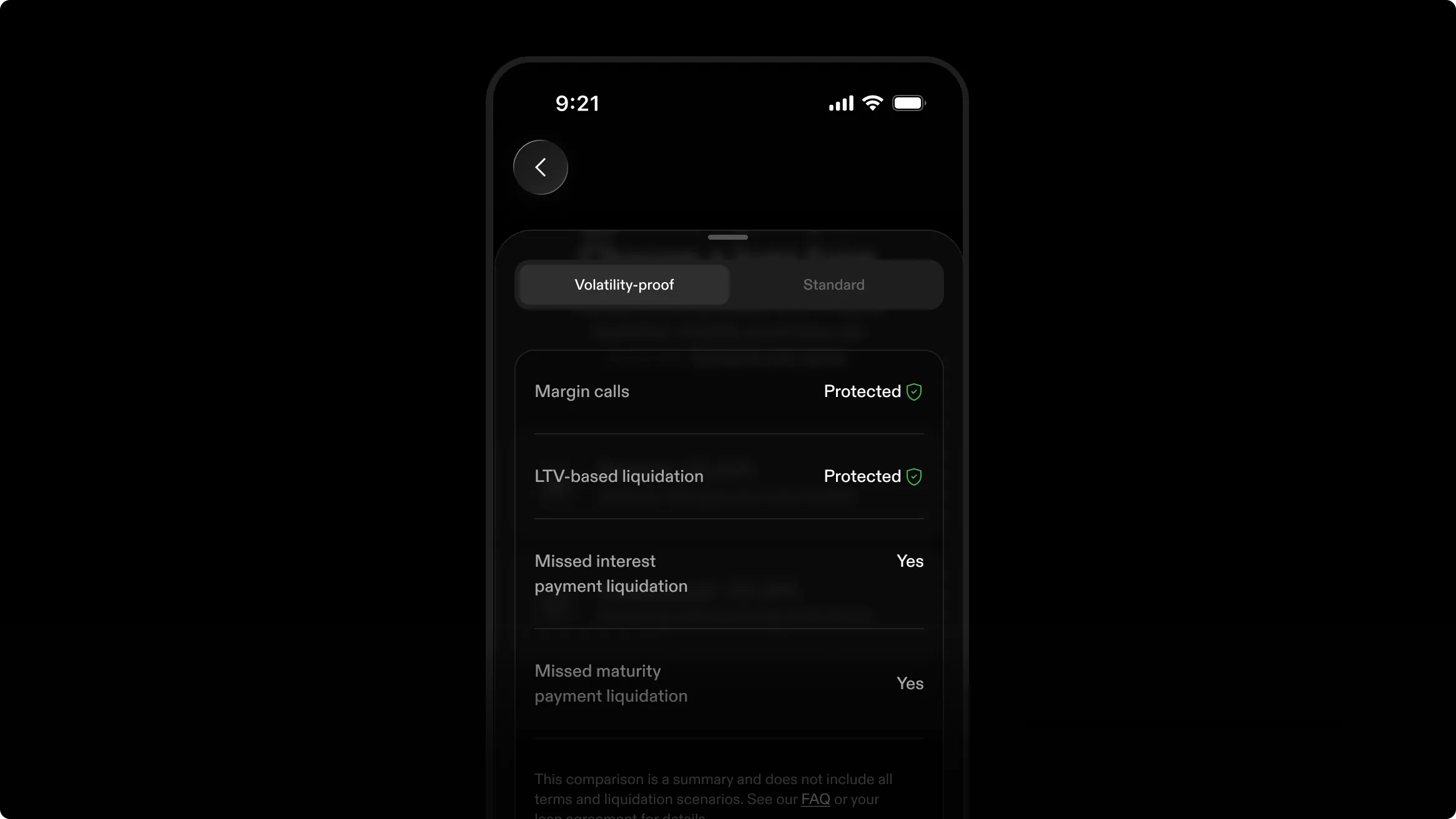
To help you avoid margin calls on standard loans, you can overcollateralize when opening. Also, if the price falls and the LTV reaches 70%, you have 72 hours to add collateral or make a partial repayment. But if you don’t want to worry about margin calls at all, you can opt for volatility-proof loans.
On a volatility-proof loan, no bitcoin price move can trigger a partial liquidation of your collateral, even if the LTV reaches 85%. The obligation to pay interest and repay principal remains the same, so partial liquidations can still occur after defaults, such as missed monthly or maturity payments after the 10-day grace period.
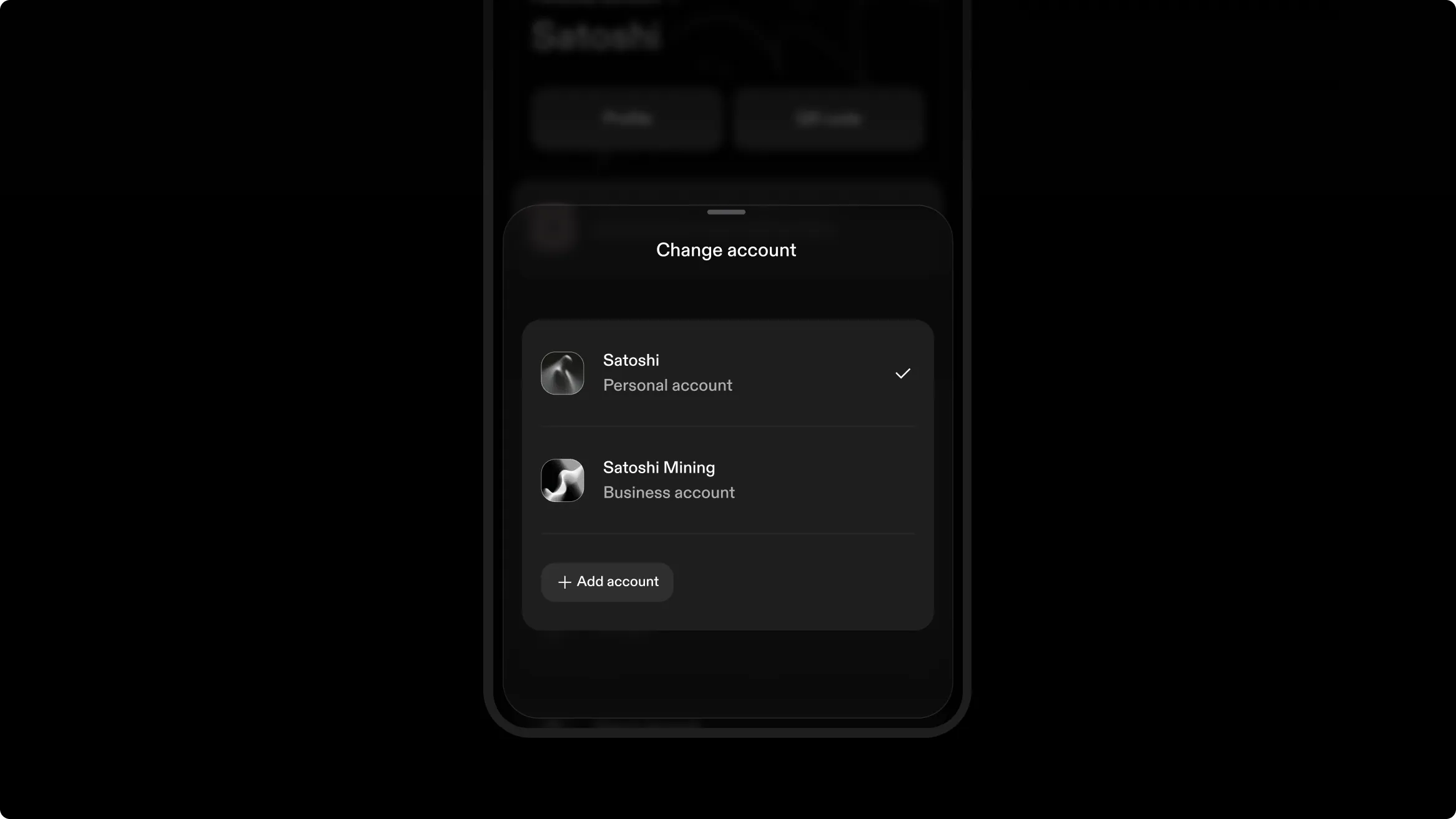
If you have one account for yourself and another for your company, you can switch between them without logging out. Change accounts on your profile, and the whole app follows: balances, profile, banking details. Each account stays signed in: one personal account plus any business accounts. Push notifications arrive for every account. In-app messages appear only for the one open account.
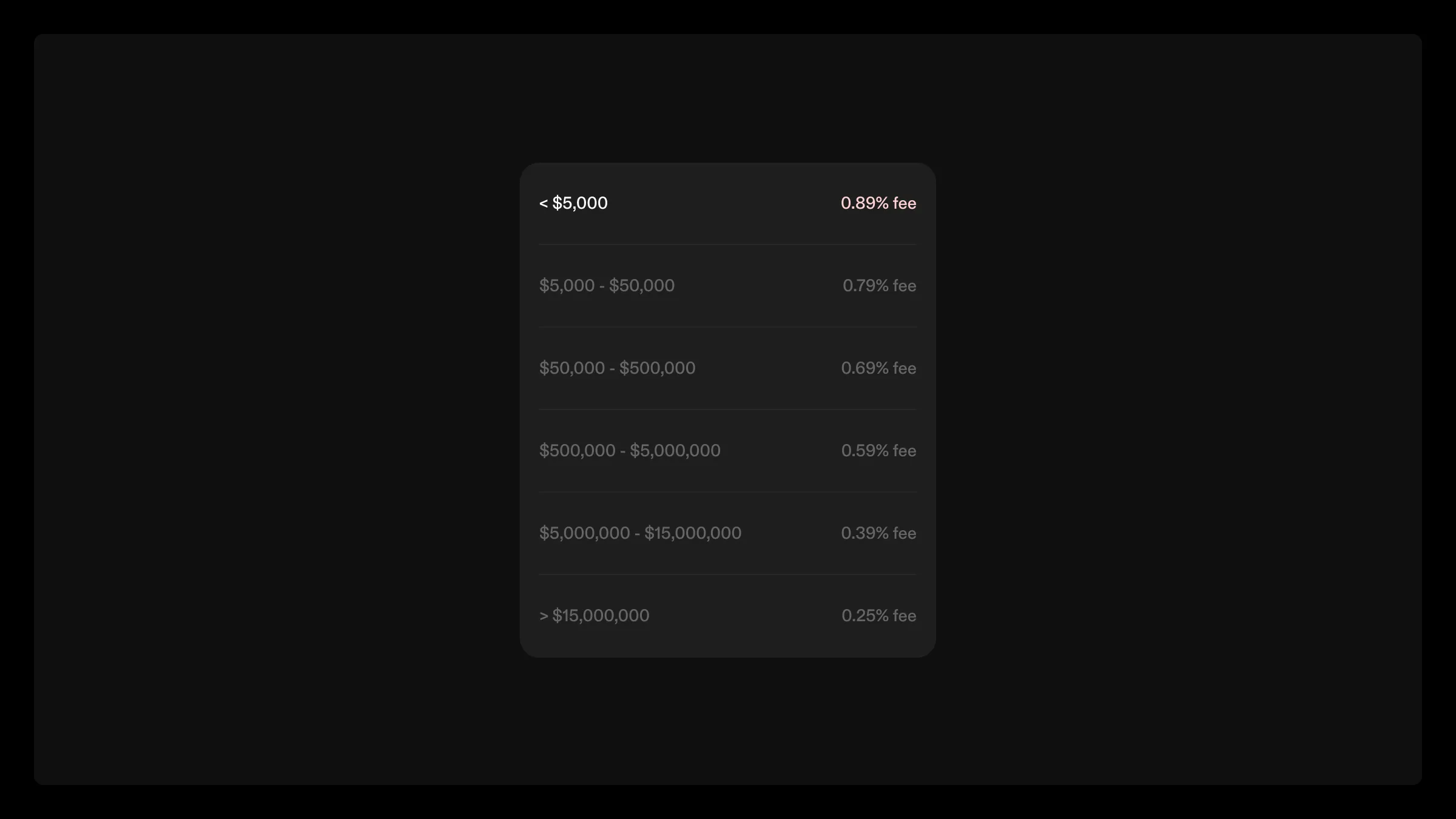
The starting tier went down to 0.89%, so more of your cash goes toward bitcoin rather than fees. Recurring buys remain fee-free after the first week for personal accounts.
You can now pay it off and close it via ACH or wire deposit without moving money into your cash balance first. Interest stops accruing as soon as you initiate the deposit. Start the closure in the app, then deposit the funds and reserve them for that loan. An overpayment by wire still closes the loan, with the excess credited to your cash balance. An underpayment does not close it. A failed ACH, or a wire not credited within 4 calendar days, cancels the closure.
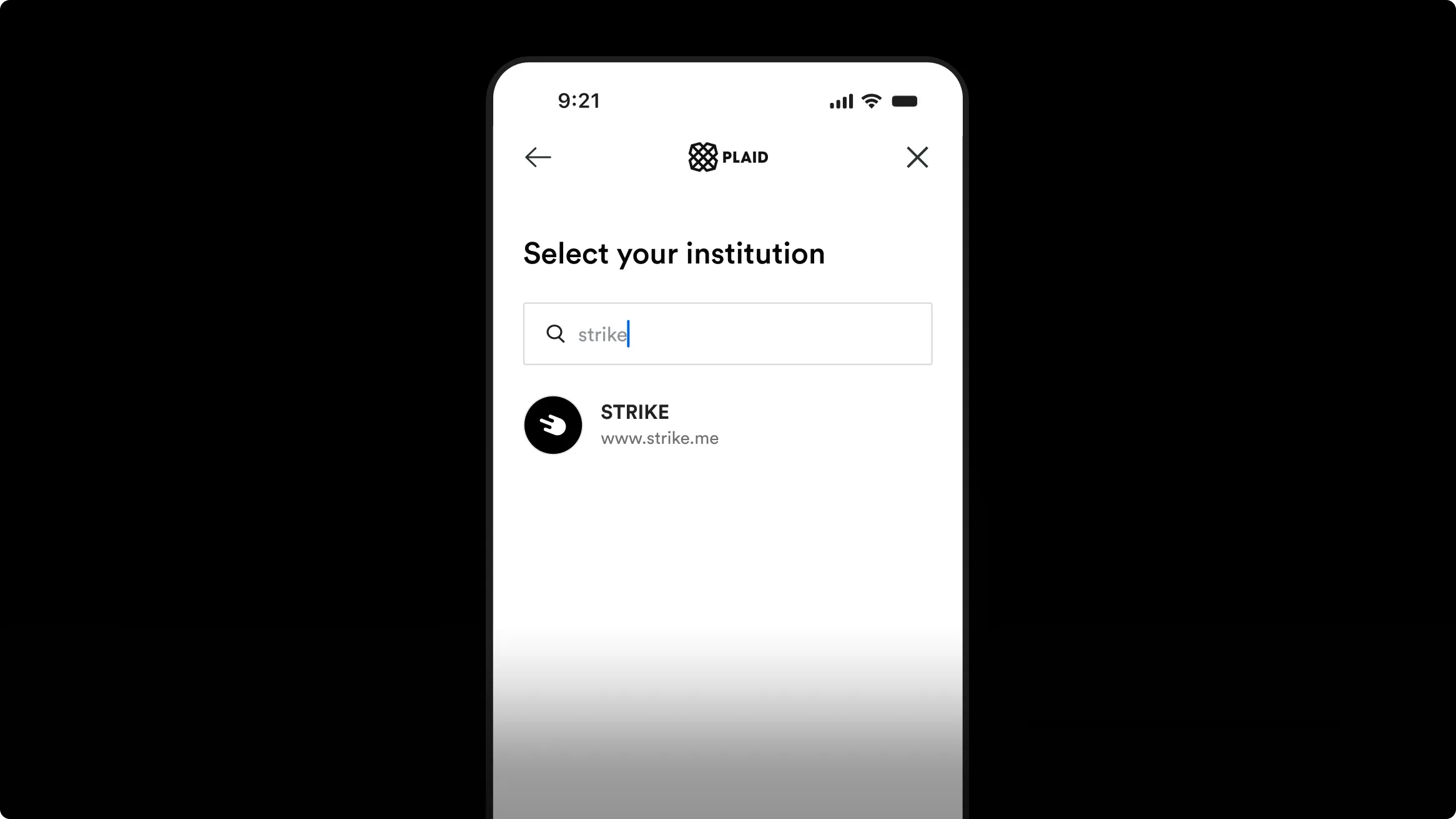
Just as you can link a bank account to Strike, you can connect your Strike account inside another app that uses Plaid. Search “Strike” in apps like Venmo, Cash App, Robinhood, SoFi, Coinbase, or Gemini, then connect your Strike account to move money in and out of those third-party accounts. You can also connect Strike to budgeting apps like Monarch, Origin, and Rocket Money to keep track of your balance.
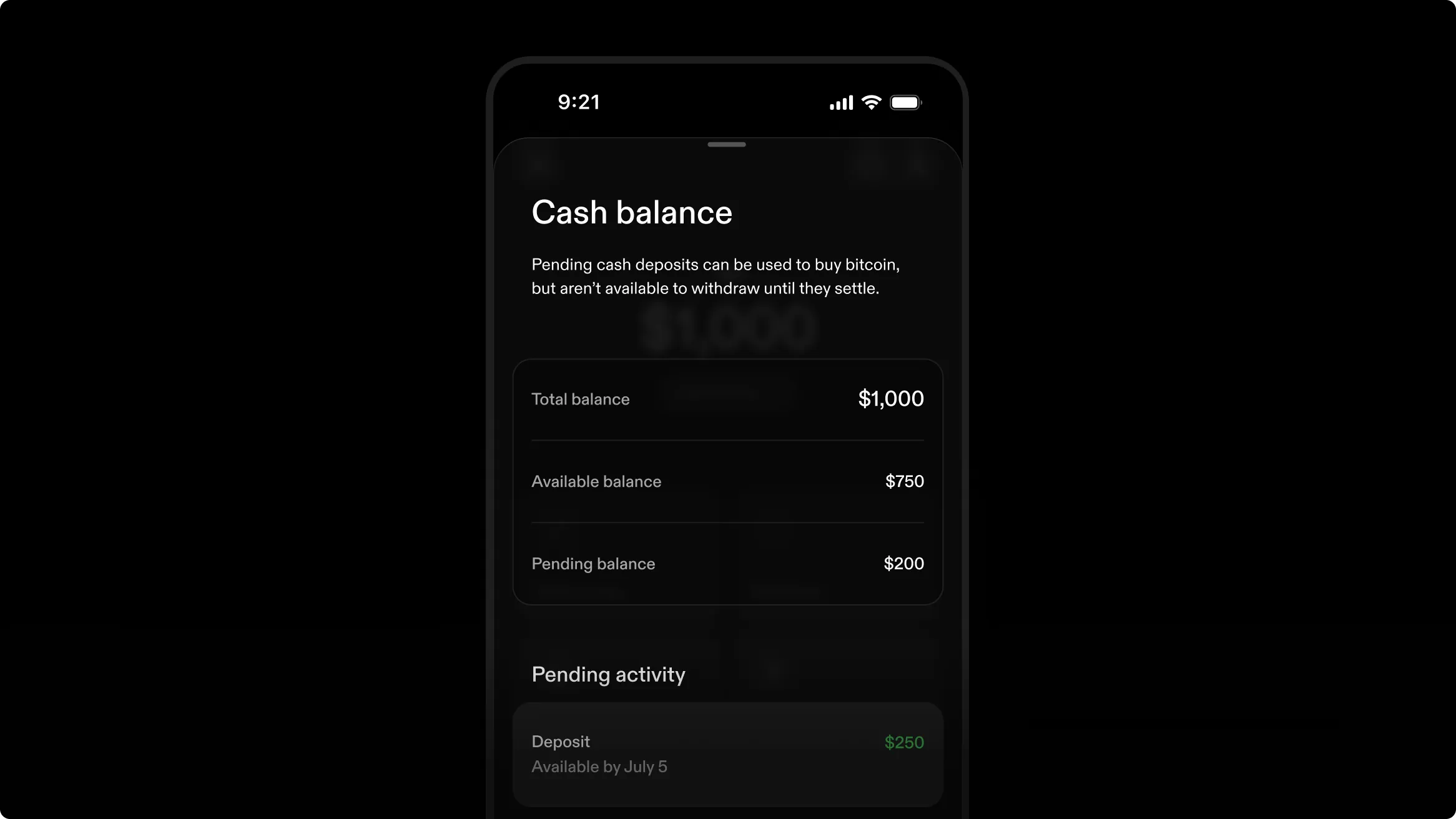
When you add money or buy bitcoin using a linked bank account via ACH, funds take a few days to settle. You can now check the exact dates on which each pending deposit or purchase becomes available to send or withdraw. Each deposit is tracked individually from arrival to settlement, so settled funds stay available even if later deposits or bitcoin price changes occur. Find the Balance Breakdown on the Cash tab, showing what is available, what is pending, and why.
The web app activity now matches the mobile app, with the same transaction types and receipts you see on your phone, replacing the simpler technical view the web app started with. Browse and review your full history from a computer without reaching for your phone.
If you already have a verified personal account, you won’t need to re-verify your identity when opening a business account as long as the identity document you used originally hasn’t expired. Start the business application from your profile to open a business account faster.
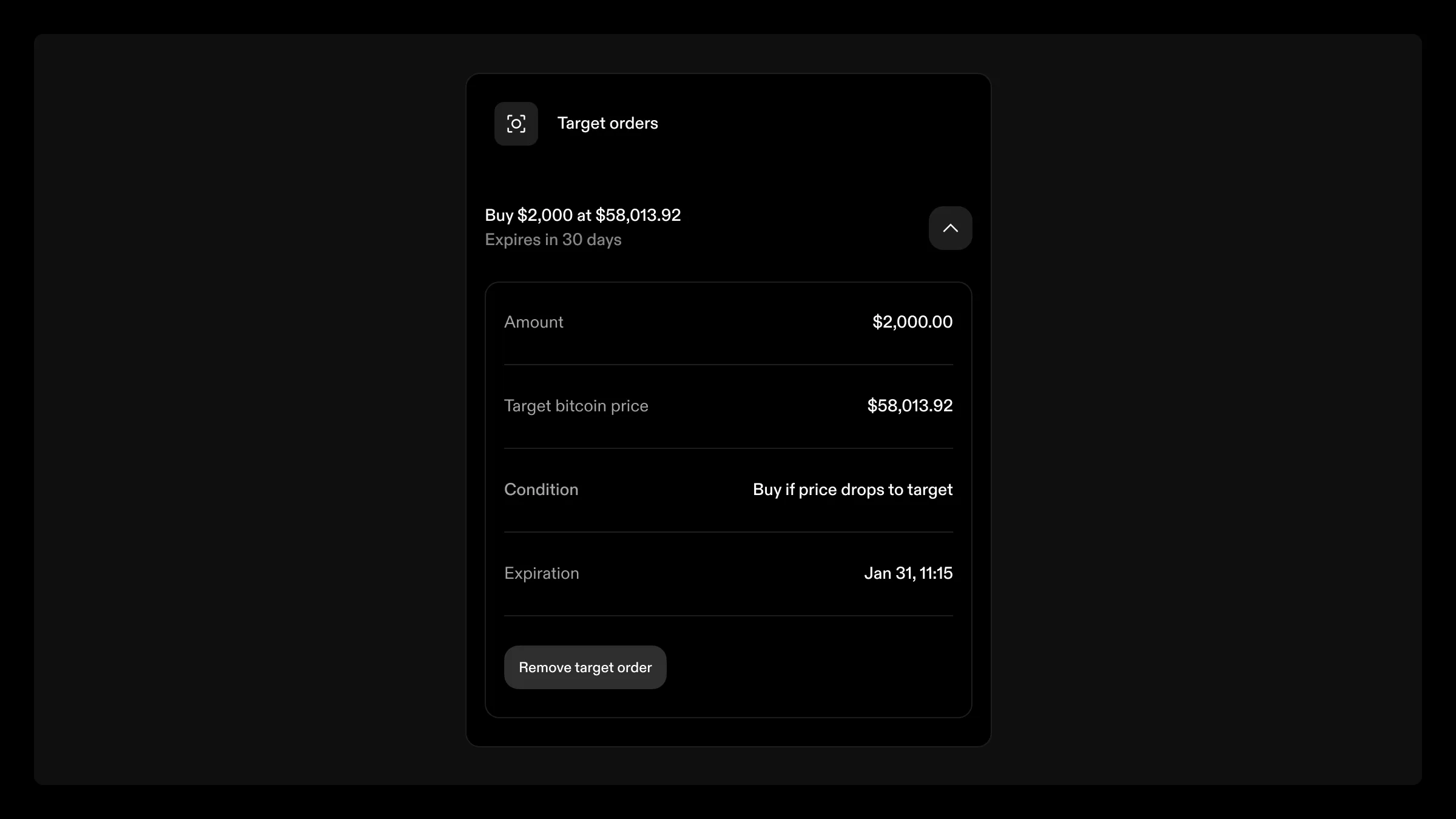
Set a target price and let Strike automatically execute the buy when bitcoin hits it, funded from the cash balance. Set it up from the web app, with no need to monitor charts.
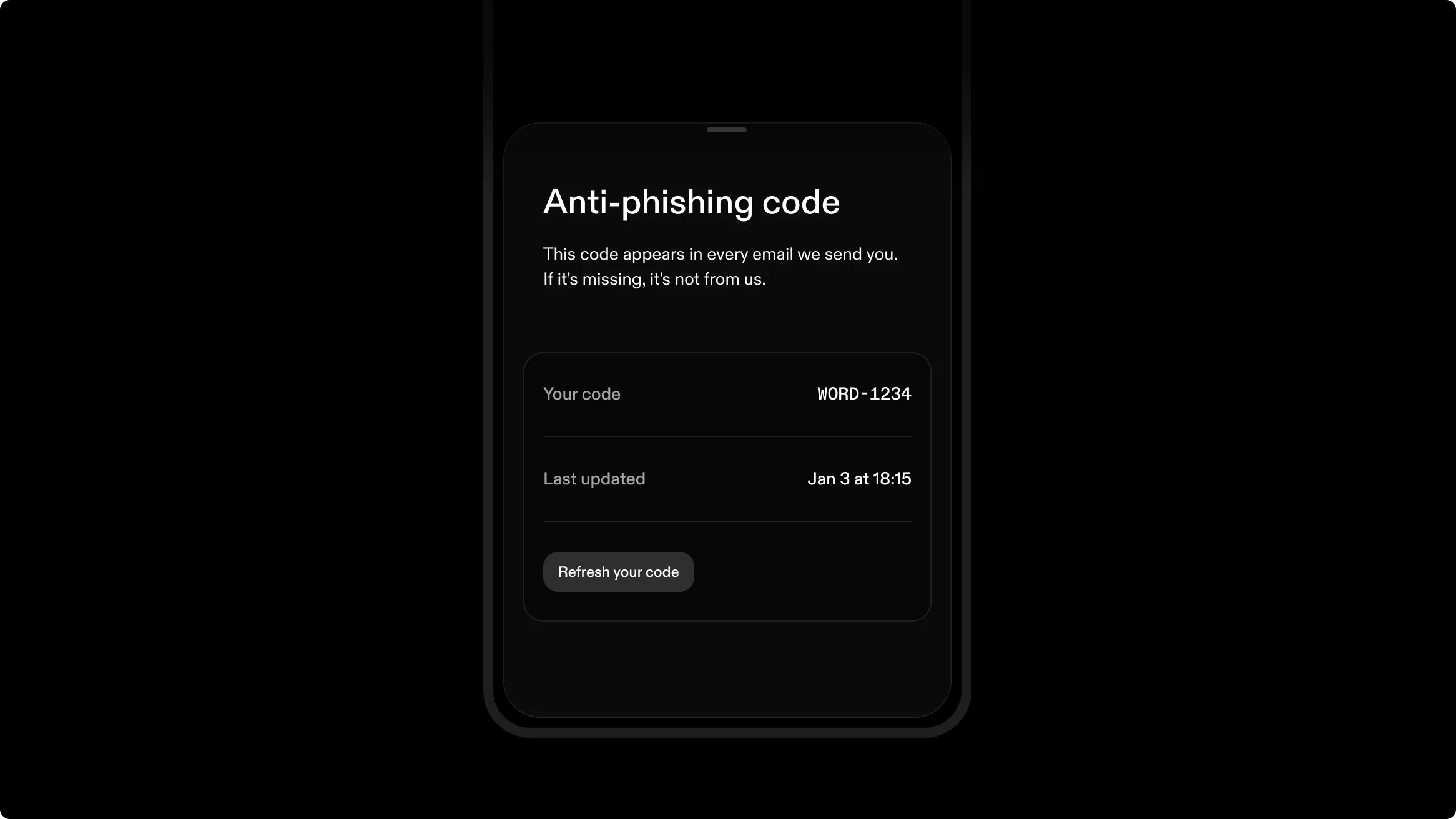
A word followed by 4 numbers, unique to your account, now appears in the header of every email Strike sends. Compare it with the code in your Security Settings in the app or on the web app, and an email without it, or with a different one, is not from Strike.
Your code is assigned automatically. You can refresh it once every 24 hours, or Strike can do it for you. You can verify it anytime in your Security Settings in the web app or mobile app. If you can’t see it in your app, update to the latest version. If someone claiming to represent Strike reaches out via a different channel, ask them to provide your code. A real Strike representative will always answer correctly and will never ask for your email confirmation code, recovery phrase, or anti-phishing code.
Pay bills from the web app. Credit card bills, mortgages, insurance, and more. Choose whether to pay bills with your cash or bitcoin balance, and copy your routing and account numbers right from your browser.
More loan management functionality previously available in the mobile app is now available on the web. Borrowers can track their LTV, handle overdue payments, update payment methods, and request the return of collateral on the web app. Loan origination is available on the web app, not just the mobile app. Whether on desktop or mobile, the terms are the same: you don’t have to go through any credit checks, and you get cash credited instantly to your balance, all while maintaining your bitcoin position.
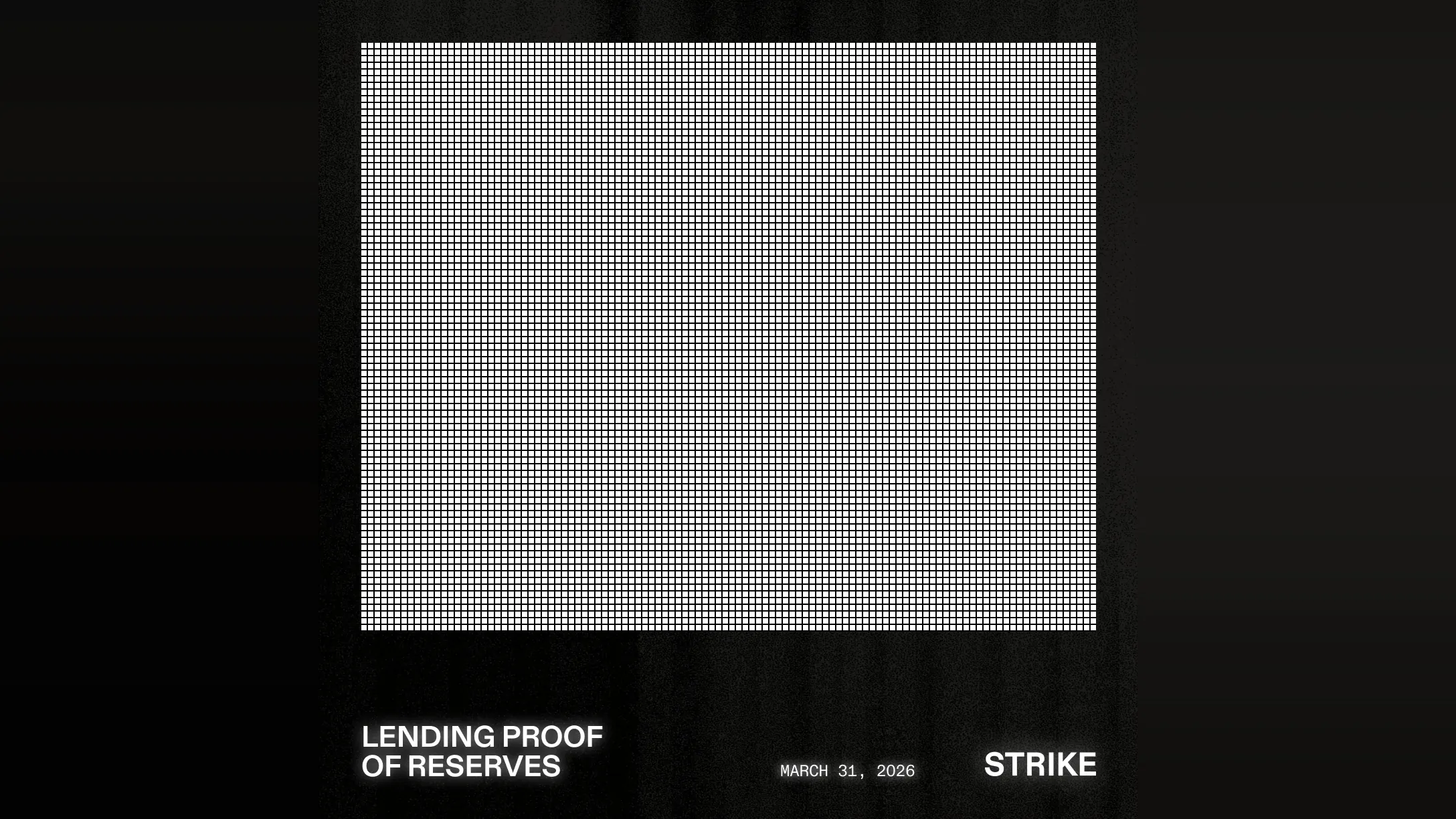
An independent accounting firm completed Agreed-Upon Procedures verifying the bitcoin held on behalf of US borrowers. Report summary: Collateral is held 1:1 and verified on-chain, no re-hypothecation beyond Strike Lending and its capital providers. Aggregate LTV is healthy and below the margin call threshold. We’ve published reports for December 31, 2025, and March 31, 2026, and we’ll continue publishing quarterly reports.
We publish quarterly reports on collateral held on behalf of borrowers, as an agreed-upon procedures engagement by the independent accounting firm FGMK LLC under AICPA attestation standards. The collateral was verified on-chain at addresses held by Strike Lending or its capital providers, segregated from other funds. No terms were found to permit further re-hypothecation or on-lending bitcoin collateral. The aggregate loan-to-value ratio remained within the documented margin call threshold.
Monthly statements for term loans cover summary, payment information, payments, and collateral management. They are generated on the 15th of each month and are backfilled for earlier months. Find them with the loan’s other documents in the app or on the web app, now grouped by loan rather than by year for easy review.
You can now roll over line of credit interest instead of paying it monthly. Choose it at origination, and change it anytime from the line of credit center in the app. You must make at least one payment from another method every 12 months, or the 12th month’s interest is charged to the cash balance, and you can’t roll interest during a margin call or if rolling would cause one.
Massachusetts residents can send US dollars to family and friends abroad in every Send Globally country, from the app, with the payment arriving in the recipient’s local currency.
The default purchase limit for business accounts using a linked bank account (ACH) was raised from $15,000 to $50,000 per week. This limit may increase to $100,000 as you keep buying bitcoin with Strike. Check the app for the exact limits available to you, and remember: wire transfers remain unlimited. The app shows the exact limits under your deposit options.
A recurring purchase that fails three times in a row now pauses instead of canceling. Fix the cause, such as a payment method issue, and resume from the “bitcoin tab” without setting the schedule up again or losing its fee-free status. A failed purchase is retried up to 3 times first. Change the amount, up to double or down to half, once every 30 days, without losing fee-free status. Set it all up from the “bitcoin tab” in the app.
The New York Department of Financial Services has granted us a BitLicense and Money Transmitter License. The Empire State’s regulatory framework is rigorous and requires the highest standards of security, operational transparency, and consumer protection. The standards behind that license shape how we handle custody, security, and operations for every Strike customer, not just New Yorkers.
New Yorkers can buy, hold, and borrow against bitcoin in the app, completing coverage of every US state. Loans followed on April 2, starting at $10,000 for individuals and $5,000 for businesses, with lines of credit starting at $5,000. If you have friends or family in New York, send them your referral code.
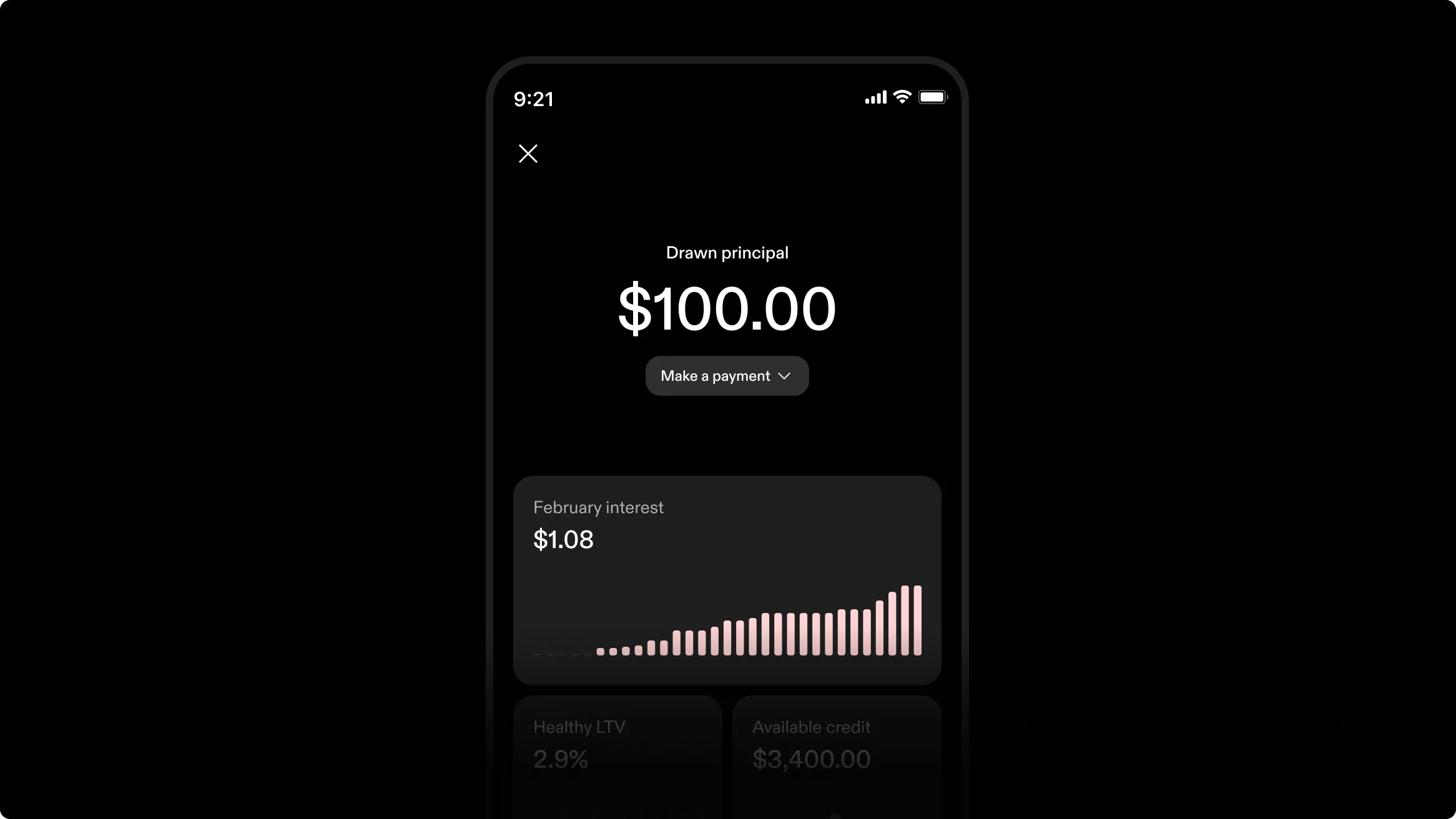
Draw dollars as needed, repay on any schedule, and pay interest only on what you’ve drawn. Interest is due monthly, and the principal has no maturity date. The line of credit starts at 0% LTV, and the ratio adjusts as you draw and repay. Whether you keep cash on hand or convert most of your income to bitcoin, the line of credit provides access to dollars without reducing your position.
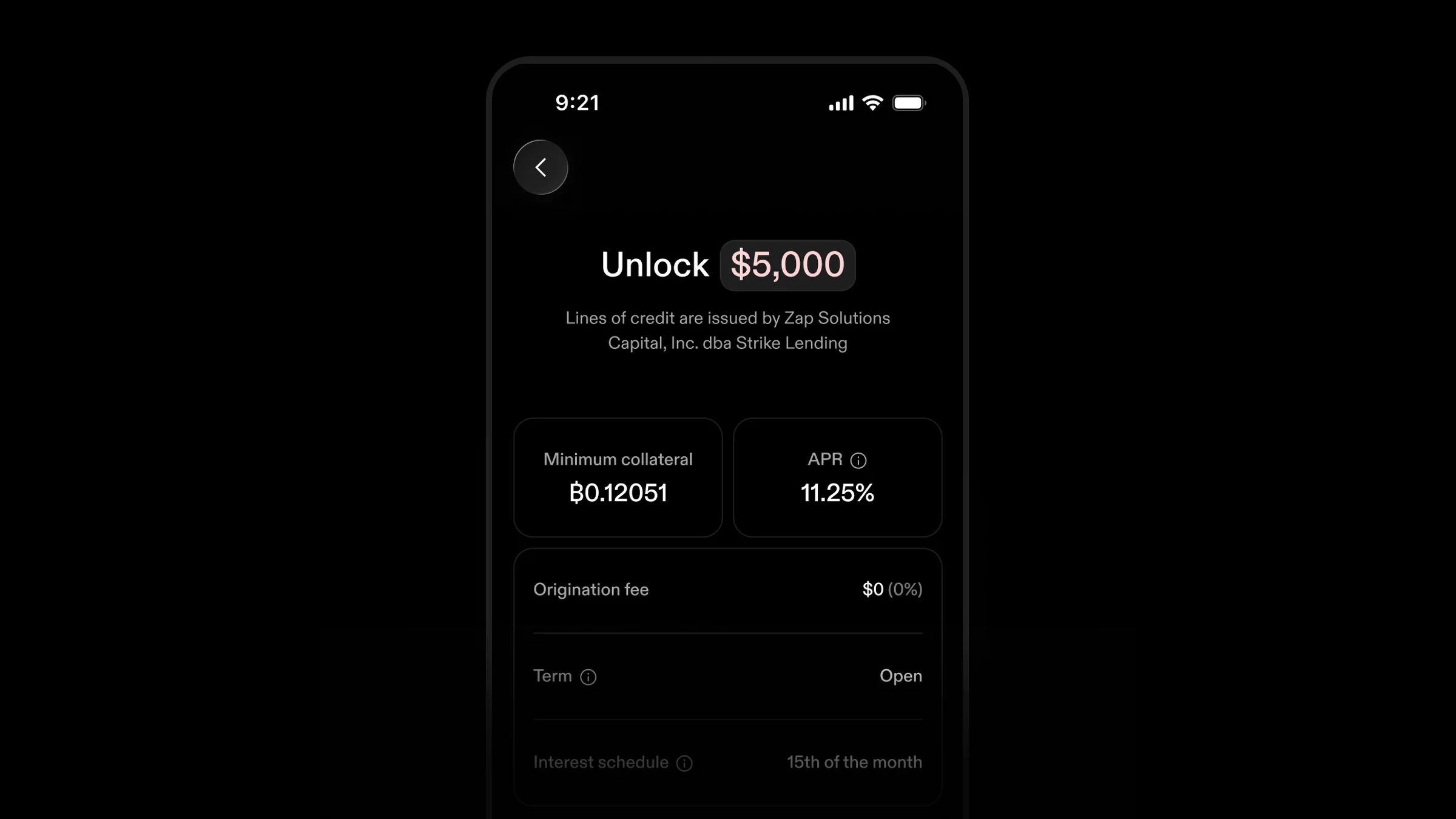
Borrow what you need up to 50% LTV, on a line of up to $250,000, with interest accruing daily and billed monthly on the 1st and due on the 15th. Drawn funds can buy bitcoin, pay bills, be sent on-chain, over Lightning, or to another Strike customer, or be withdrawn by wire, RTP, or ACH. Open and manage it in the app, from $5,000 in most states.
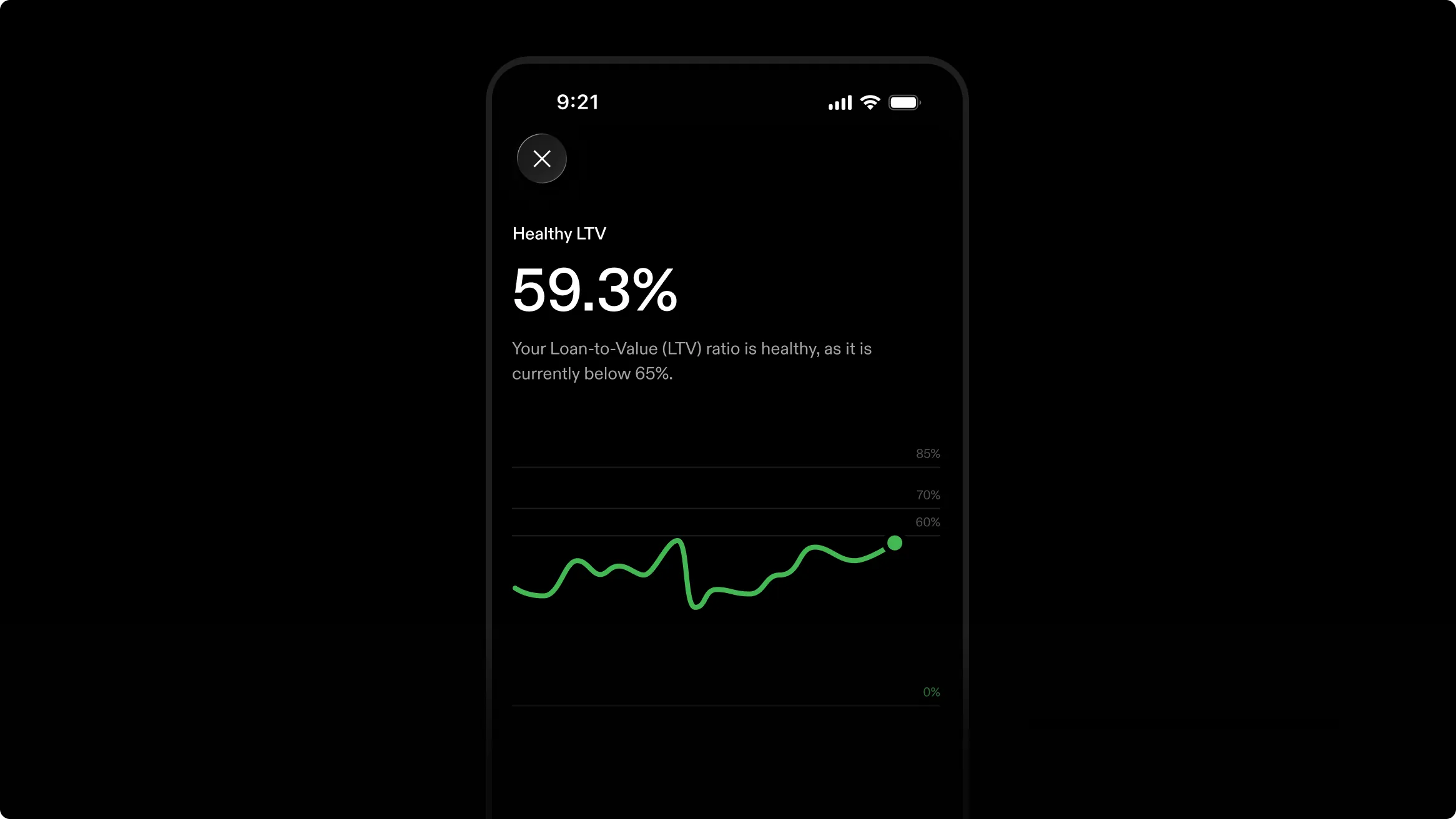
The margin call policy has been updated to allow more time to react during periods of volatility. You have 72 hours to restore your LTV ratio during a margin call, up from 24. The recovery threshold has moved to 65%, up from 60%. This change applies to existing borrowers and new term loans and lines of credit, so you need less to resolve a call. Track your LTV in the app or web app, and add collateral or make a partial repayment during the window.
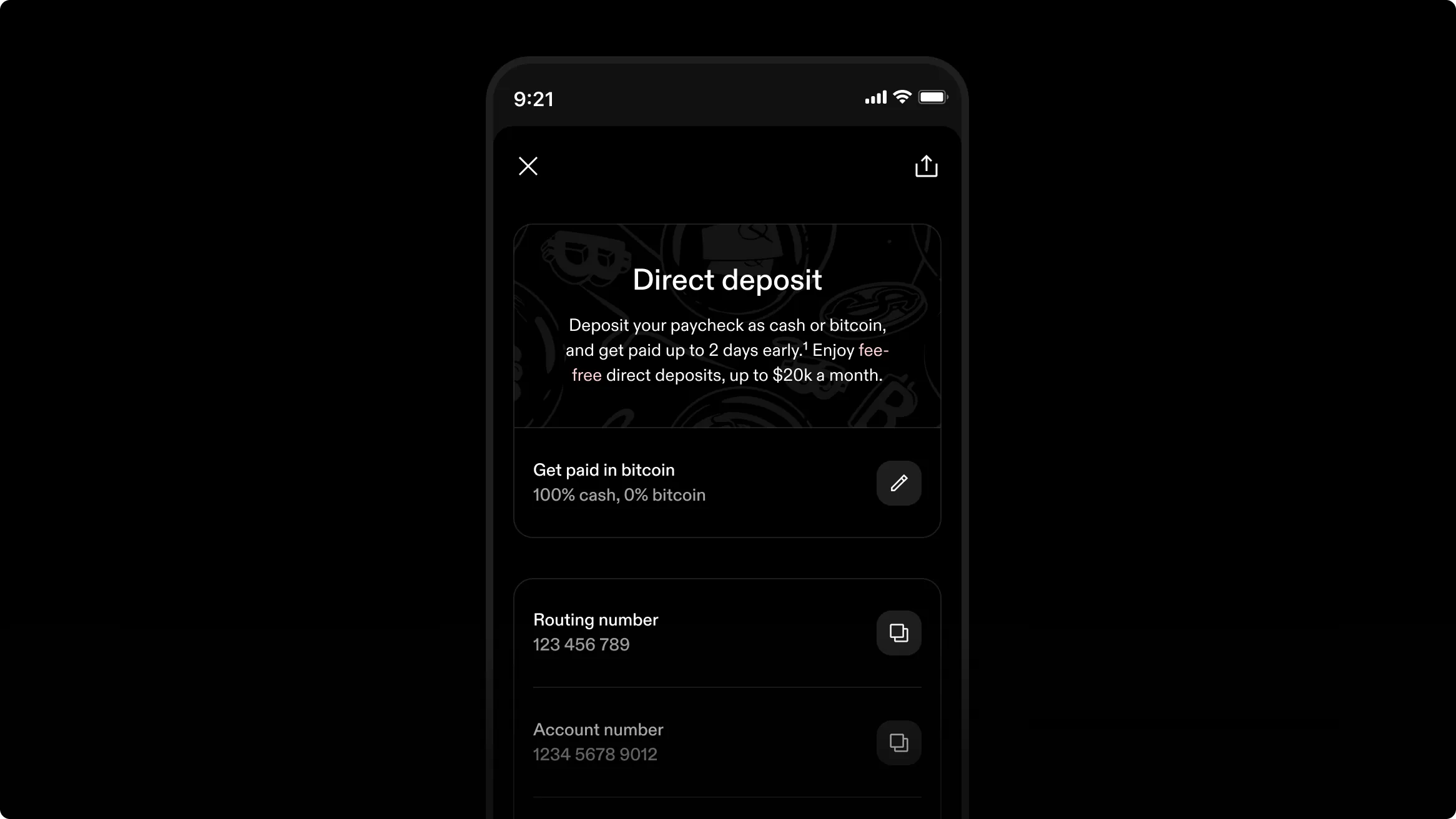
Eligible US customers with supported payroll providers can receive their paycheck up to two days early, up to $10,000 per pay period, two fewer days between earning dollars and holding bitcoin. You can convert up to 100% of your paycheck into bitcoin with Get Paid in Bitcoin, with no conversion fees up to $20,000 per month. Set it up in the app with direct deposit, and find it under your cash balance. Early access is not guaranteed and depends on the payroll provider.
If you live in California or one of five newly added states, you can now borrow against bitcoin starting at $10,000. Open your loan in the app and keep your bitcoin position while you access cash. Borrowing is now live for individuals and businesses in 45 US states and 34 other countries, so more people can borrow without selling bitcoin.
If you hold bitcoin on a Bitkey hardware wallet, you can now deposit, buy, and withdraw to the device in one flow in the Strike app. Buy bitcoin straight to Bitkey as an individual or a business, without moving funds between separate steps. Your bitcoin lands directly on your hardware wallet, ready for self-custody.
You can now consolidate any number of loans of the same type into one, from day one with no 60-day wait. A consolidation can resolve a margin call by drawing on another loan’s collateral and can exceed the standard $5,000,000 loan maximum. You pay accrued interest as part of the move, and a new term starts. You can close the combined loan once each original loan is 60 days old.
Behind the scenes, Strike now routes each buy and sell across several liquidity providers for the best price, so you get more bitcoin per dollar, euro, or pound when buying and more cash per bitcoin when selling. It all works in the background with nothing to set up, and you don’t need to do anything.
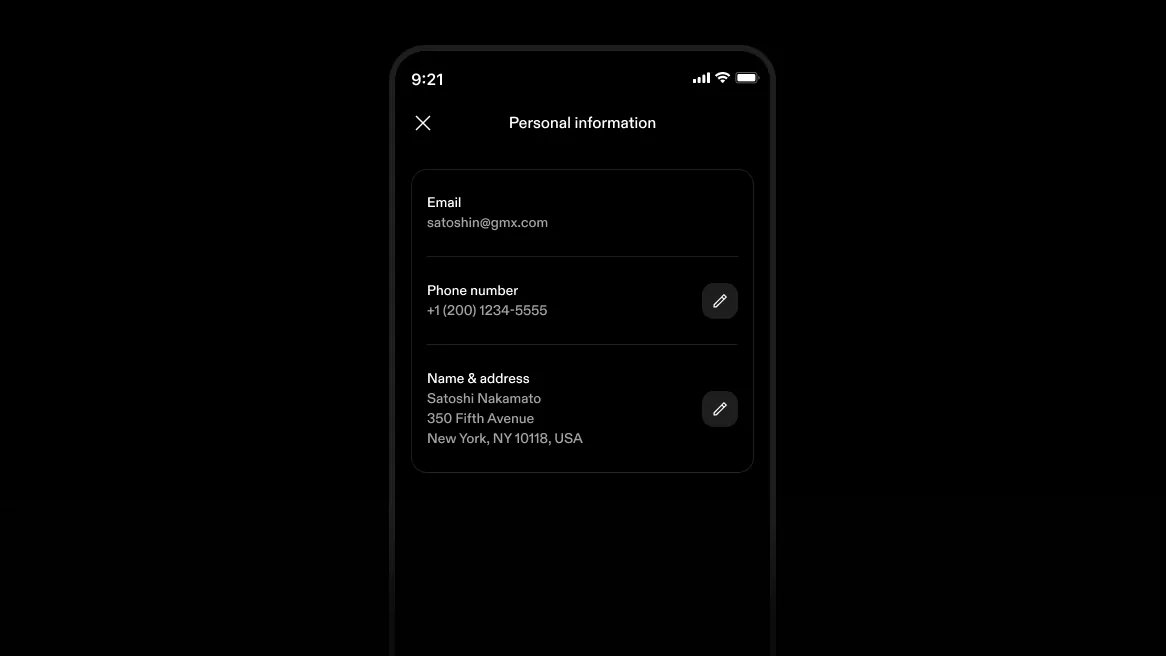
You can now update your address in the app under “Account” and “Personal Information”. The change is verified, confirmed by email and push, and covered by 2FA for extra account protection. You can also update phone numbers in the same place, so your contact details stay current without reaching out for help.
Each purchase receipt shows the percentage change between the price you paid and the current market price, next to the original purchase price. The figure is a plain number, not colored red or green, so you read it on its own terms. It gives you a quick read on how that buy is doing without switching to a chart or doing the math yourself.
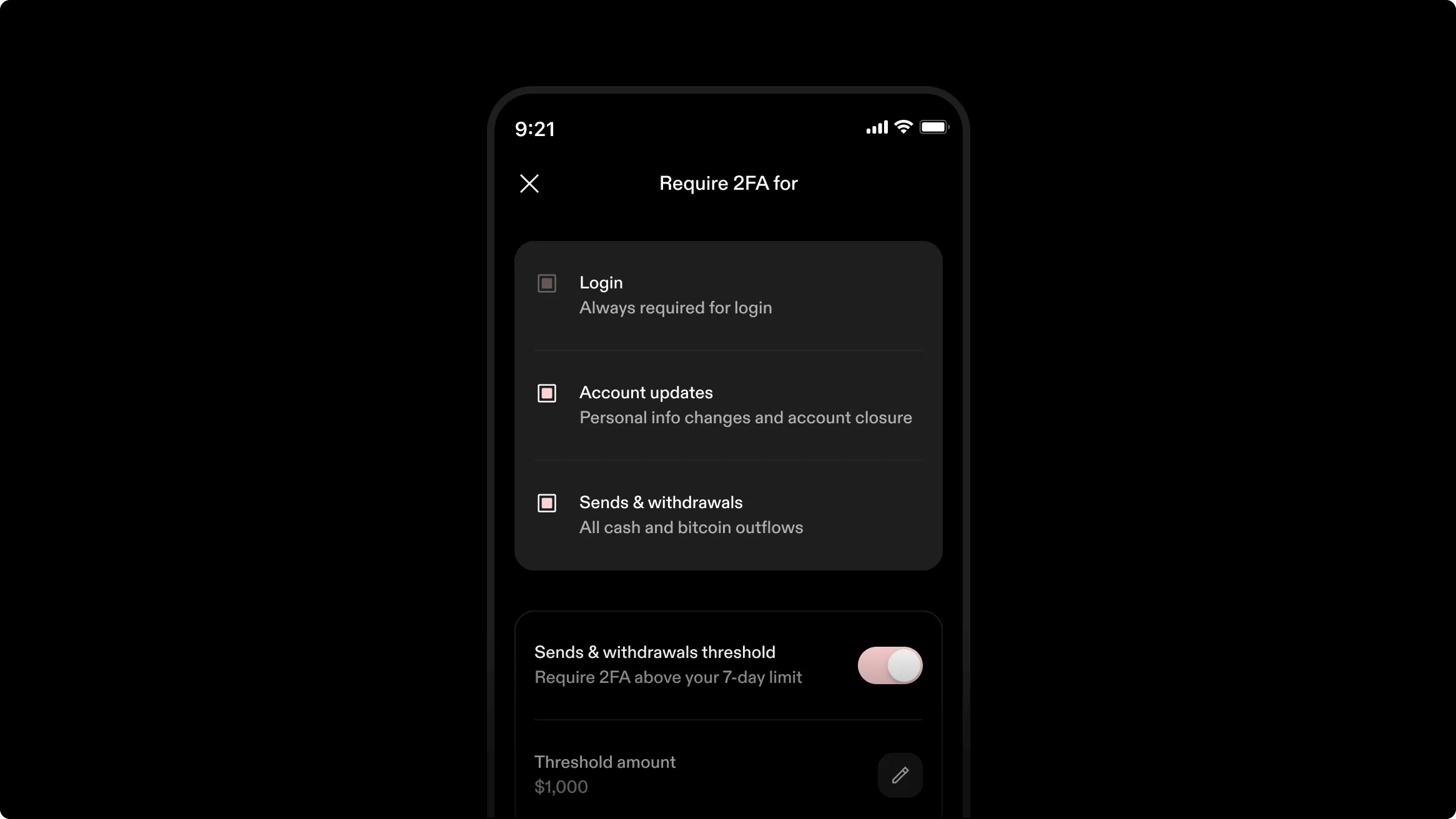
You can now set a rolling 7-day amount below which sends and withdrawals skip 2FA. Keep small everyday moves fast while larger ones still require a second authentication. Strike emails you whenever the threshold changes, and you can review or change it any time in the app to match how you move money.
In the mobile app, you can now see every device logged into your account, along with its location and last activity; log out of one device or all others in two taps; and review expired sessions from the past week. If you signed in to your account on someone else’s device or lost access to yours, end those mobile or web sessions from your phone.
When you link a debit card, you verify it belongs to you by taking a photo of the card and a selfie in the app, similar to identity verification. It replaces the earlier method of reading a code from the description of a small reversible charge on your statement.
You can adjust a recurring buy’s amount without deleting and recreating the schedule. Your fee-free period carries over, so changes don’t cost you the progress you have built. Once every 30 days, you can increase the amount by up to double or decrease it by up to half.
Bitcoin received over Lightning or on-chain and converted into your cash balance counts toward your trading fee tier, so more of your regular activity helps you reach a lower rate.
Payment-at-maturity loans now count only interest accrued so far toward loan-to-value, rather than the whole term’s interest up front. You need less bitcoin as collateral to originate the same loan. The change applies to existing and new loans, and you can track your ratio in the mobile or web app.
Deposit, withdraw, send, and receive, manage payment methods, and see your limits, all from a browser. Statements in PDF and CSV, recurring purchases from the cash balance, sends to a Lightning address, and a full breakdown of your trading fee tier and progress to the next are also live there.
You can schedule recurring deposits from a linked bank account weekly, biweekly, or monthly, with a chosen start date and time. View, pause, or cancel any time from the Upcoming section of the Cash tab in the app. If a deposit fails, the schedule pauses and tells you why. Whether it’s insufficient funds, a payment method issue, a deposit limit reached, or an account restriction, you can resume without starting over.
You can convert any share of your pay, up to all of it, into bitcoin with Get Paid in Bitcoin, fee-free up to $20,000 a month. Set it up with direct deposit in the app and watch your pay turn into bitcoin when it arrives. Deposits from anything other than a payroll provider arrive as cash, so only true payroll converts.
If you log in on the web from a device Strike has not seen, Strike sends an approval request to the app. Approve it there to continue, so a password alone never opens your account on a new device.
If your bitcoin-backed loan is more than 60 days old and its remaining principal is at or above the minimum loan amount, you can refinance it at the current rate with no refinancing fee. Accrued interest is paid as part of the move, and a new term starts. Start the refinance from your loan in the app to reset your terms without opening a separate loan.
You can now see and edit the cost basis of your bitcoin in the mobile and web app. Review the acquisition cost, date, and method of each lot, plus the disposal method, across bitcoin lots, transfers out, and dispositions. Each tab carries headline stats, with a total return figure that combines realized and unrealized gain or loss on bitcoin you hold on Strike, so tax time starts from a clear record.
The per-transaction buy and sell maximum rose from $1,000,000 to $2,500,000. Place larger orders in a single transaction from the app or the web. You can still place an unlimited number of trades, and you can place larger orders by contacting the Private team.
If you run a US business on Strike, you can now pay bills with account and routing numbers that work like any bank’s. Paste them into a biller or link them with Plaid, then pay any number of billers from your cash balance, from bitcoin with Strike selling just enough to cover the bill, or from a line of credit. Pay up to $95,000 per bill, with payments arriving in 1-2 business days.
Add a loan widget to your iPhone or Android home screen to check your loan at a glance without opening the app. On iOS, switch between loans in widget settings and add one widget per loan. On Android, tap the widget to open the loan details if you have one loan, or swipe to the next if you have more. Widgets display loan names so you know which loan you are checking.
If your loan is at least 60 days old and your loan-to-value is 40% or less, you can now retrieve excess collateral without closing your loan. Keep the loan open while you pull extra bitcoin back into your balance, where it is credited and ready to withdraw at once. After the move, keep your ratio at 50% or less to keep the loan healthy. Start the request from your loan in the mobile app to free up value you no longer need to lock up.
You can now secure your account with passkeys and hardware security keys as two-factor methods. Turn on Protected Actions to require 2FA at login, for sends and withdrawals, and for changes to personal information. Your settings stay synced between the app and the web app so protection follows you across devices. If you turn off a protection, you get a security email, and recovery codes keep you covered for login and disabling 2FA. Find it all in Security Settings for stronger defense against takeover.
You can now borrow more flexibly against bitcoin in the app. Individuals can open loans from $10,000, and businesses can open loans from $5,000 in most states, with up to $5,000,000 available per loan. Rates are tiered so your APR falls as your loan grows. You can hold up to 5 loans open at once and open one new loan per day to stagger needs over time. Larger limits and lower large-loan pricing make it easier to access cash while you keep your bitcoin position.
Start the transfer in the app and send it to any bank account or mobile money account in the country. The payment arrives in local currency, so your recipient can use it right away without a bank account. It gives you a fast way to support family and friends abroad from your cash balance.
You can now borrow cash against bitcoin in the app without selling your bitcoin. The option is open to individuals across the US and to businesses in 38 states at launch. Open a loan with no origination fee, and close it after 60 days with no fee. You can borrow up to 50% of your collateral value with an APR that falls as your loan grows. Funds land in your balance at once and are ready to withdraw within one business day.
We hold your collateral 1:1 and return it within one business day of repayment. Borrowing isn’t a taxable event. You can repay in cash with a 10-day grace period at maturity or in collateral to close at maturity. A margin call starts at 70% loan-to-value, with automatic partial liquidation at 85% to protect the loan.
You can now see your average buy price for bitcoin bought on Strike. It shows your weighted average cost across one-time buys, recurring buys, and target orders, with a separate figure for each type. It’s for tracking performance and not for tax purposes.
The bitcoin price and the converted amount on the buy and sell confirmation screen refresh every 10 seconds, so the number you confirm is current, not a quote from when you opened the screen. Whether you enter cash or bitcoin, the other figure updates alongside the price. What you see when you confirm is what you get.
You can now import your Strike bitcoin history into CoinTracker via CSV. Export your transaction file from the app, then upload it to CoinTracker to see gains and losses and build filing reports. The import keeps your cost history intact so you spend less time on manual entry and more time reviewing your portfolio with confidence.
You can now convert between cash and bitcoin with the sats converter online. Enter an amount in USD, EUR, or GBP to see its value in sats or bitcoin, then flip it back just as fast. Anyone can use it without a Strike account, and it’s handy when you want to price a payment or make sense of a balance. Find it on the Strike website to answer how much cash buys how many sats in seconds.
You can now add a note to any transaction receipt in the app to record why you sent or received money. Your notes appear on your monthly statements alongside the transaction so your records stay complete. Statements now group activity into high-level categories and include cost basis and note columns, plus a balance summary with a single date and time column. Find receipts in your transaction history and statements in Documents to keep track of spending and stay organized at tax time.
You can now request a phone callback from Strike support without leaving the app. Open the support chat in the mobile app to open a ticket and request a callback at a time that suits you. You can attach screenshots, screen recordings, and other files directly in the chat so the team sees what you see. Every Strike customer can use this option, making help faster and clearer when words alone aren’t enough.
You can open your tax documents as PDFs in your browser and download them to your computer at filing time, so you don’t need to transfer anything from your phone. Businesses also get formatted monthly statements on the web, with activity grouped by type and a clean layout ready for bookkeeping.
A rotating set of nearly 40 bitcoin facts, Satoshi quotes, and prompts sits at the bottom of the “bitcoin tab” on the mobile app. Scroll down to find a new one.
You can pay everyday bills straight from Strike with account and routing numbers that work like any bank’s. Paste them into your biller or connect through Plaid, then pay from your cash balance, from bitcoin, or from a line of credit. When you pay from bitcoin, Strike sells just enough to cover the bill and keeps a CSV history for taxes.
Add any number of billers, with payments arriving in 1-2 business days. Set it up in the app to replace manual bank payments.
You can run several recurring purchase schedules at once, one per frequency, each with its own amount and payment method. Add a biweekly schedule alongside hourly, daily, weekly, and monthly rhythms to match your pay schedule. Set schedules in the app or web app, and track each one with its activity filter.
You can change the payment method without canceling, pause without losing fee waiver progress, and see exactly when each purchase will run. Adjust any schedule as your budget shifts while keeping the fee benefit intact.
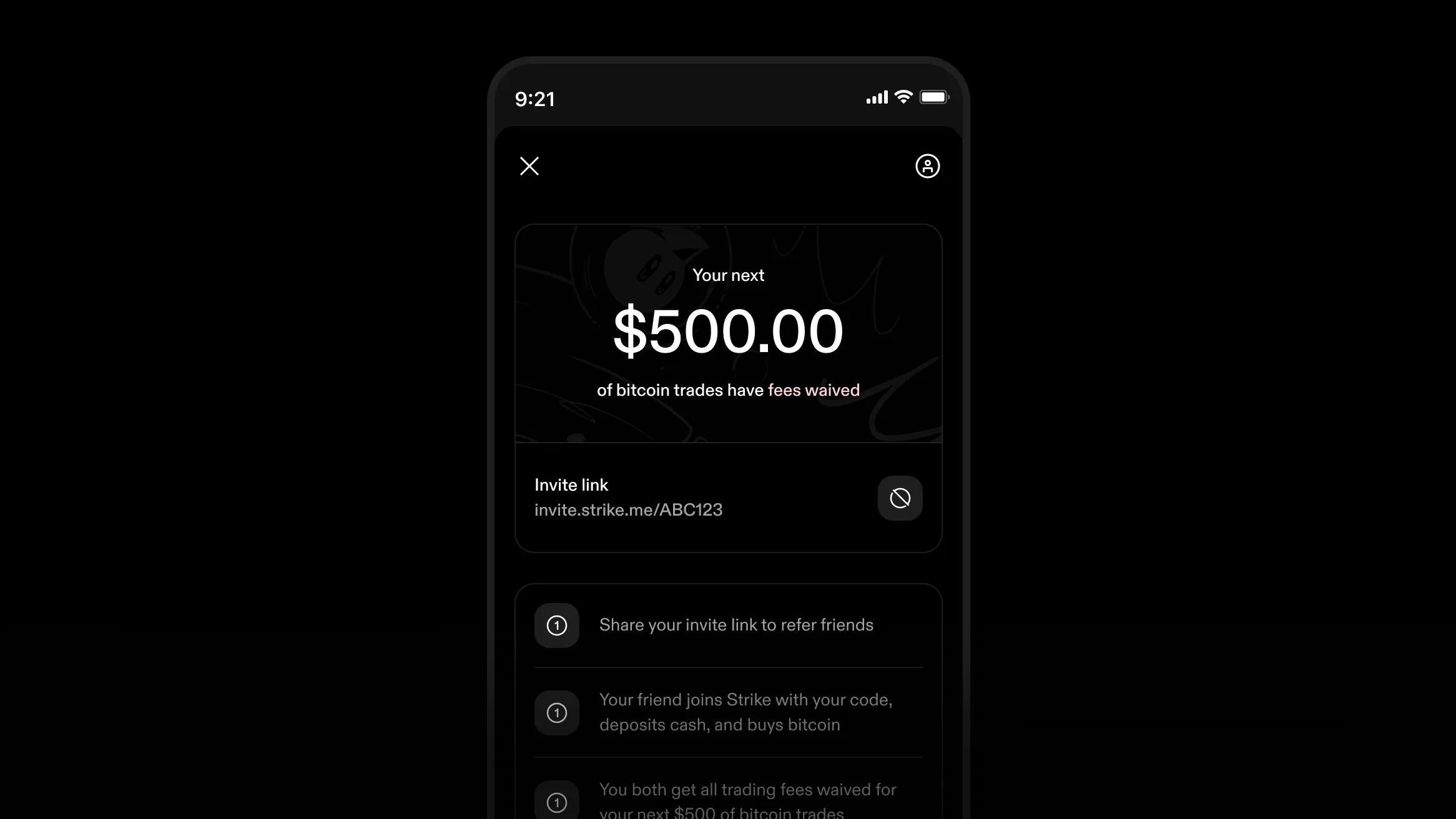
You can share your referral link or code from the app with friends in any region. When someone you invite deposits and buys bitcoin, you both get fee-free trading on your next $500 in the US, €500 in the EU, or 100 USDT of fee-free volume when either of you is in another supported country. There is no cap on how many rewards you can earn, and you do not need to buy anything to refer.
The reward applies as soon as the referred purchase is made, even before an ACH-funded purchase settles. Track invites and rewards in the app to see who joined through your link.
You can send Lightning payments to BOLT 12 offers from Strike. Paste or scan an offer in the app when a business or wallet presents one, then confirm the amount to complete the payment. You can reuse offers without a new invoice each time, so repeat payments stay simple. You keep Lightning’s speed and low cost, with no extra steps.
Each wire transfer from $50,000 to $5,000,000 has a flat $15 fee and arrives within one business day. Add a memo where your receiving bank needs extra detail, like a loan ID or further credit instructions, so the money routes correctly. Use wires for large transfers that need to land quickly and reliably.
If you are in the US and request money from a friend in Europe or the UK, select the amount in euros or pounds. No need to convert the amount separately first.
You can set the price where you want to buy or sell bitcoin, above or below the market, and Strike fills the order when bitcoin hits it. The order fills in full or not at all, even with the app closed. Your cash stays held in reserve until the order fills, expires, or you cancel it.
Set an expiry or leave the order open, and cancel it anytime from the app. You keep control while Strike watches the market.
You can add an extra layer of account protection with two-factor authentication from an authenticator app. Turn it on in the app or in the web app, and one setup covers both places where you log in. Each login then asks for a rotating code along with your password, so access needs your phone as well as your credentials. Keep backup codes somewhere safe in case you change devices.
Individuals can stack bitcoin on autopilot and skip the fee once they set a schedule. Hourly, daily, weekly, and monthly purchases are fee-free from the second week onward. The waiver applies to personal accounts and stays active as long as the schedule runs.
You can start a Send Globally transfer by entering the exact amount your recipient should collect. Type in Philippine pesos, Vietnamese dong, or Mexican pesos, and Strike converts the dollars you send so the payout lands in local money. You see the rate and the final amount before you confirm in the app. Your recipient collects in the money they use every day with no Strike account needed.
You can now move cash to your bank in minutes, not days. Withdrawals travel over instant rails like RTP and FedNow, where your bank supports them, so the money lands quickly. Start the withdrawal from your cash balance in the app and choose the eligible bank account. Timing still depends on your bank, but eligible withdrawals arrive almost at once.
You can fund a recurring bitcoin purchase from a linked debit card, in addition to the cash balance and a linked bank account. Set it up from the “bitcoin tab” in the app, pick the amount and timing, and the buy runs on your card on schedule. It works for every frequency except hourly.
You can see exactly what is ready to move in the app. The Limits screen shows your total, available, and pending balances with progress bars, and every bank deposit receipt carries the date those funds become available. Once a deposit has settled, you can send or withdraw it with no additional limits.
If your account is in good standing, you may get Strike Instant to send, spend, or withdraw up to $5,000 of a bank deposit before it settles. Regular use increases your chance of access, but doesn’t guarantee it. Without it, a pending ACH deposit can buy bitcoin, but you can’t send, spend, or withdraw it yet.
When you send bitcoin on-chain, Strike adjusts the fee rate on your pending transaction as real-time estimates change, so a send priced when the mempool is cheap doesn’t get stuck when the fee market rises. Your send keeps pace with the network throughout the block and confirms faster without extra steps or a second transaction on your part.
If you run a business, you can buy and hold bitcoin under your company name. You can open an account with self-serve onboarding in the mobile or web app, with built-in verification. Use Strike to send and receive payments and build your company’s treasury.
If you live in Hawaii, you can use Strike with almost full US functionality in the app. You can buy and sell bitcoin, hold cash and bitcoin balances, and move money over Lightning or on-chain. Direct cash payments between people on Strike aren’t available in Hawaii yet, but every bitcoin feature works as usual. Open an account in the app to get started.
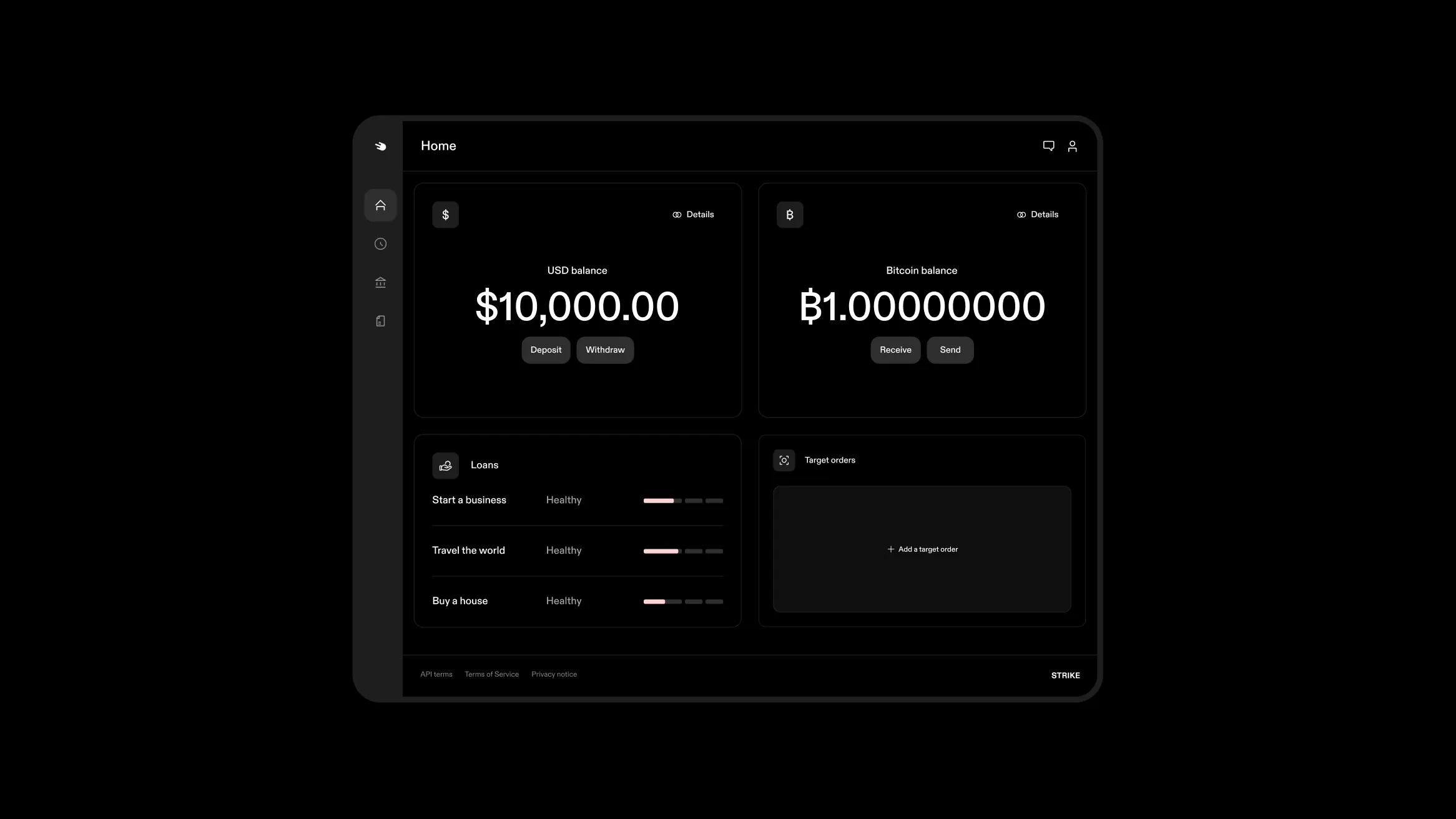
You can manage Strike from your browser in the rebuilt web app with a new design that makes balances, activity, and settings easier to scan. You can now deposit and buy bitcoin from your desktop computer.
You can follow bitcoin without opening Strike. Add widgets to your Android or iOS lock screen and home screen for the bitcoin price, a price chart, a sats converter, a buy bitcoin shortcut, and shortcuts that open the cash and bitcoin scanners. Tap any widget to jump straight into the app.
Your fee tier is now set by monthly volume, and the tier you reach carries into the next month. It resets only after a month with no trades, so steady activity keeps your rate low. The same tiers apply to one-time and target orders. You see your current tier in the app before you confirm.
If you live in Puerto Rico, you can open a US account in the app and use Strike with full US functionality. You can buy and sell bitcoin, hold a cash balance, set up recurring purchases, and send and receive payments like any mainland account. Open an account from the signup flow and verify with your US documents to get started.
After a first Send Globally payment to someone, Strike automatically saves them as a contact. For the next transfer, you pick the name instead of re-entering details.
Manage the list under “Settings” in the app under “Contacts”. It trims repeat sends to a few taps while keeping details accurate.
You can buy bitcoin from a linked debit card in one step in the app. The deposit and the purchase happen together, so you skip funding the cash balance first.
Enter the amount, confirm, and the bitcoin lands in your balance. This is the quickest route when you want to buy right away without moving money in advance.
Strike gives you account and routing numbers to hand to an employer or bank for direct deposit and wire deposits, with no limit on wire deposits. Set it up in the app and point payroll or bank transfers to those details. With Get Paid in Bitcoin, you can convert a share of each paycheck, up to 100%, into bitcoin automatically as it lands, while the rest stays as cash.
It accepts direct deposits from payroll providers, and direct deposits do not count against account limits. It is a steady way to stack bitcoin from income while keeping spending money intact.
From either your cash or bitcoin balance, you can pay a Lightning invoice that leaves the amount for you to set. You can also issue one so the person paying picks the amount.
It helps when the total is open, such as a tip or a flexible charge. Create or pay it in the app in the same flow you already use for Lightning.
If you plan to buy or borrow at scale, Strike Private offers a concierge service with a direct point of contact. It serves high-net-worth individuals, businesses, family offices, and institutions that need more flexibility for large transactions and help coordinating the details. It is built for careful execution when the amount matters.
You can buy gift cards, eSIMs, and phone top-ups with bitcoin through the Bitrefill integration. Pay for everyday purchases from your bitcoin balance without moving funds elsewhere first.
Browse the options, pick what you need, and check out in a few taps. It is a handy way to spend bitcoin on practical things while keeping the rest where it is.
You have a Lightning address in the form username@strike.me that anyone with a Lightning wallet can pay. Find it on your shareable profile card on the Account page in the app, with a copy button and QR code; what arrives lands as cash or bitcoin, depending on your receive setting.
You can also pay any Lightning address from either your cash or bitcoin balance by scanning or typing it. We remember addresses you’ve paid, so repeat sends take less effort.
You can deposit cash with a linked debit card in the app when you want funds ready fast. You pay 1.99% with a $0.99 minimum.
You enter the card’s security code only on the first deposit. To confirm a linked card belongs to you, Strike places a small, reversible test charge with a description that includes a code you enter in the app.
If you buy on a schedule, you can fund recurring purchases straight from a linked bank account so the plan keeps running without keeping a cash balance topped up.
Set it up under the recurring purchase card on the “bitcoin tab” in the app, pick an amount and timing, and let each buy run on its own. It helps you stay consistent without moving money first.
You can pay a bank account in Mexico with US dollars from your cash balance. Use the recipient’s CLABE or debit card number to send anytime. It arrives in seconds as pesos, ready to spend. The person you pay doesn’t need a Strike account, so you can reach family or others without extra setup.
You can buy bitcoin from a linked bank account in one step. The deposit and the purchase happen together, so you skip waiting for an ACH deposit to settle before buying. Enter the amount, confirm, and the bitcoin lands in your balance without funding your cash balance first.
When you withdraw bitcoin on-chain from either your cash or bitcoin balance, you can pick the speed that fits. Choose Priority for arrival in about 10 minutes or Standard for arrival in about an hour. You’ll see the fee before you confirm. Choose Flexible if you can wait up to 24 hours and pay nothing, since Strike covers the network fee and you keep 100% of the bitcoin you withdraw.
From the Send Globally flow in the app, you can pay a wallet or bank account in Guatemala with US dollars from your cash balance. The payment travels over Lightning and lands ready to use. The person you pay doesn’t need a Strike account. It gives you a direct route to support family or pay people there without asking them to install anything first.
You can now pay mobile money accounts in Senegal, Rwanda, Ivory Coast, Togo, and Benin with US dollars from your cash balance. The payment travels over Lightning and lands in local currency, such as CFA francs or Rwandan francs, depending on the country. The person you pay doesn’t need a Strike account. It is a simple way to reach people who live on mobile money and to send value that arrives ready to use.
You can pay a bank account in Vietnam with US dollars from your cash balance through Send Globally. The payment travels over Lightning and arrives as dong, ready to spend. The person you pay needs no Strike account and receives local currency. It gives you a direct way to reach family or people you pay abroad without extra setup on their side.
When tax season arrives, you can download your tax forms straight from the app without waiting for mail. You also get a CSV of every transaction in the year so that you can hand complete records to your own tools or preparer.
If you sold or otherwise disposed of bitcoin during the year, you receive Form 1099-DA, Digital Asset Proceeds From Broker Transactions, in the app by mid-February. Find everything in the app in time to file, with the detail you need to report cash and bitcoin activity accurately.
You can use the Strike API to act on your account programmatically, automate tasks, integrate it into your tools, or direct an AI agent to act on your behalf. Send and receive payments over Lightning and on-chain, buy and sell bitcoin, move funds in and out, and read balances and rates. The API was receive-only before, so sending is the change that opens full payments use.
Start with the revamped docs, the sending-payments guide, and the example apps. Generate keys with the scopes you define in the web app, where you also check balances or revoke keys, and test without real funds in the sandbox.
You can pay a bank account or mobile money account in the Philippines with US dollars from your cash balance. The payment travels over Lightning and arrives within minutes as pesos. The person you pay needs no Strike account and collects in the money they use every day. It is a practical way to support family or pay people abroad without asking them to set anything up first.
Send US dollars from your Strike cash balance to someone in Nigeria, Ghana, or Kenya. The payment travels over the Lightning Network and arrives in the recipient’s local currency, so they receive the transfer in the money they use every day. They don’t need a Strike account or a bitcoin wallet to collect it.
You pay a smaller share of the network fee when you send bitcoin on-chain, because Strike batches your withdrawal together with other customers’ withdrawals into a single bitcoin transaction and splits the cost across every send in the batch. This batching is also what powers Strike’s free flexible delivery speed.
Send bitcoin to Taproot addresses, the newest bitcoin address format. Taproot addresses begin with `bc1p`, and Strike supports them for on-chain sends so your withdrawal reaches any wallet that uses the format.
Message the Strike support team from inside the app on iOS and Android. The chat sits next to the help articles, so you can browse answers and reach out to the team in the same place. A green dot flags unread replies so you know when the team has responded.
Some merchants and wallets show a single BIP21 QR code carrying both a bitcoin address and a Lightning invoice. When you scan one in Strike, the app picks out the Lightning invoice and sends your payment over Lightning, so you don’t have to choose between an on-chain send and a Lightning send.
Monthly statements in the Documents section track your cash and bitcoin activity month by month. Each statement covers one calendar month and gives you a clear record of what moved through your account. You can download the PDF or CSV on the mobile app or the web app.
You can block payment requests from other Strike customers in the app. If someone you don’t know sends an unsolicited request for money, block them and their requests stop reaching you. The block applies only to that person, so requests from the people you do business with still come through.
Lock the Strike app behind a 4-digit PIN so your account stays closed even when your phone is unlocked. If someone picks up your phone, they can’t open Strike without your PIN.
Merchants on Shopify can accept bitcoin payments at checkout through Strike. Payments arrive over the Lightning Network, and your customers get another way to pay.